
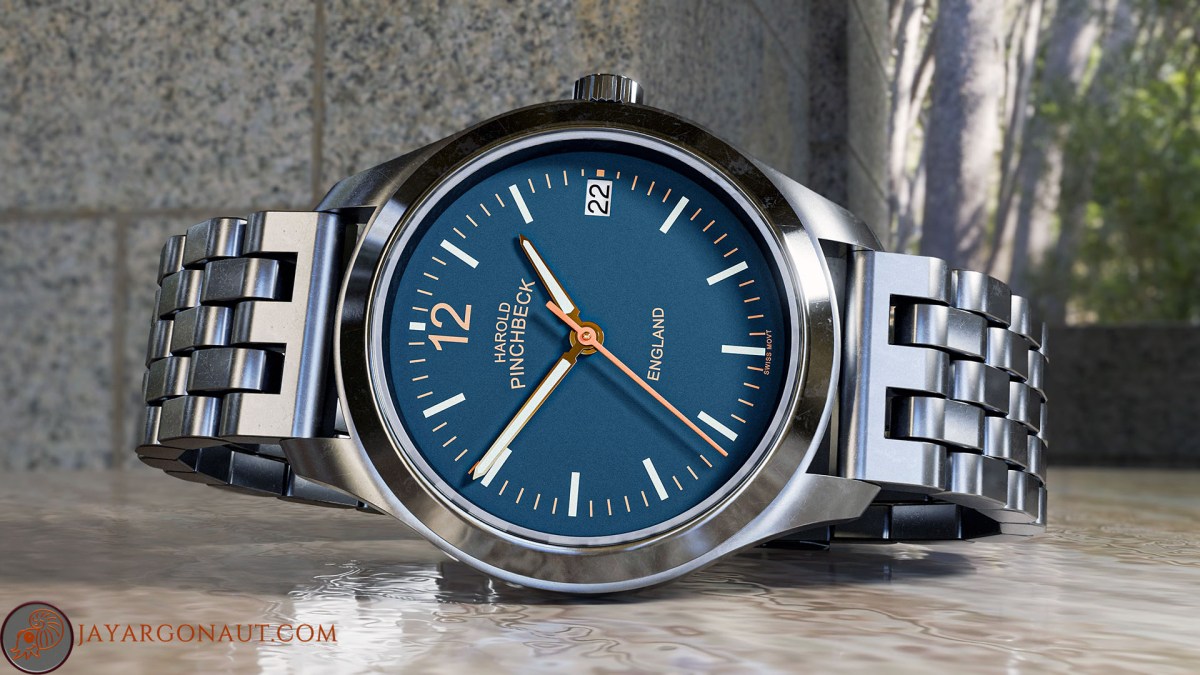
I want to discuss briefly the benefits, and of course negatives, of using three dimensional poly-mesh models and renders of them over photography when it comes to creating images of items or products. For me and for this post, I am focusing on one particular item: a watch that has been around and enjoyed by owners for many years. I was asked to model this watch and produce some fresh-looking renders.
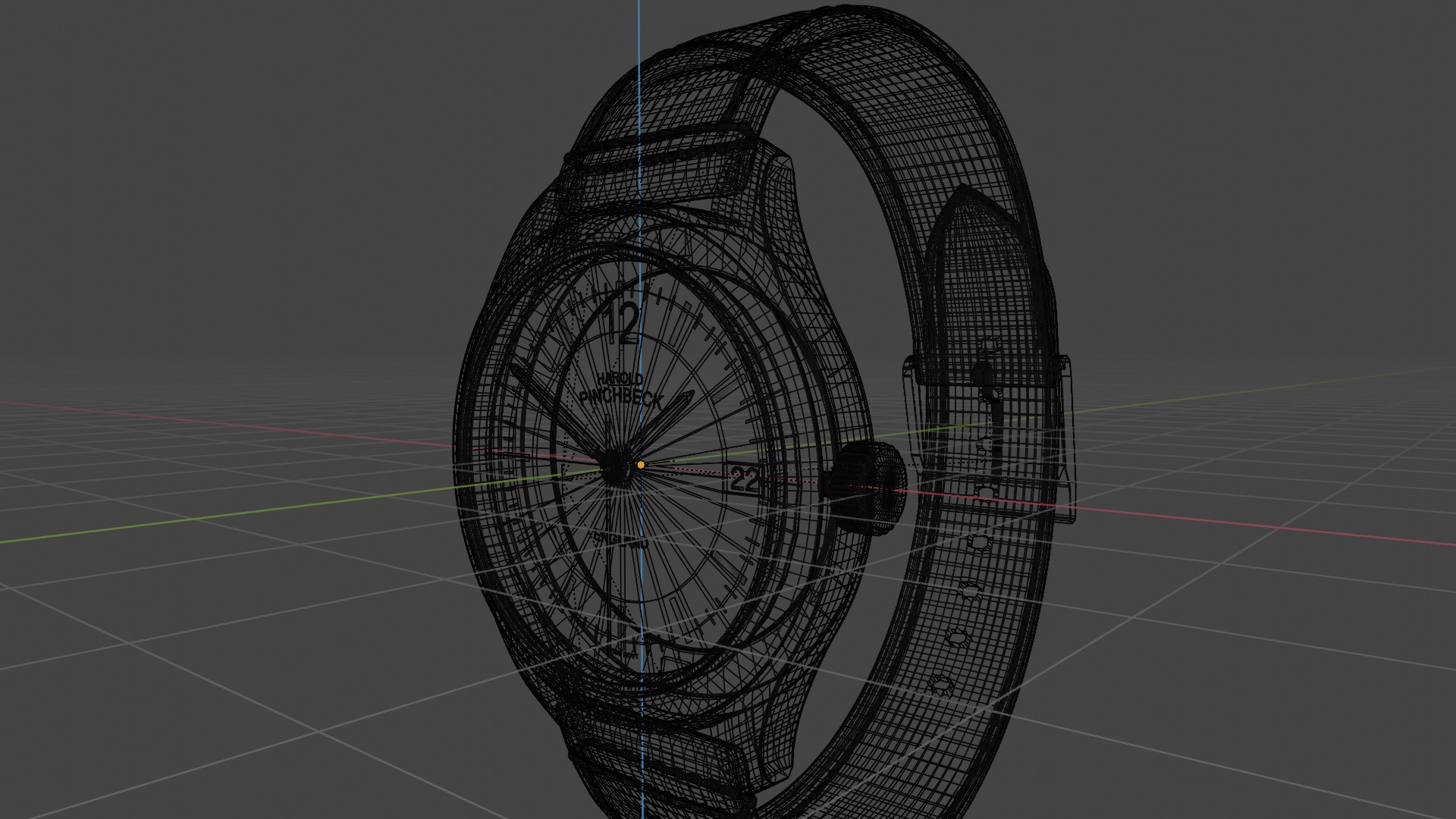
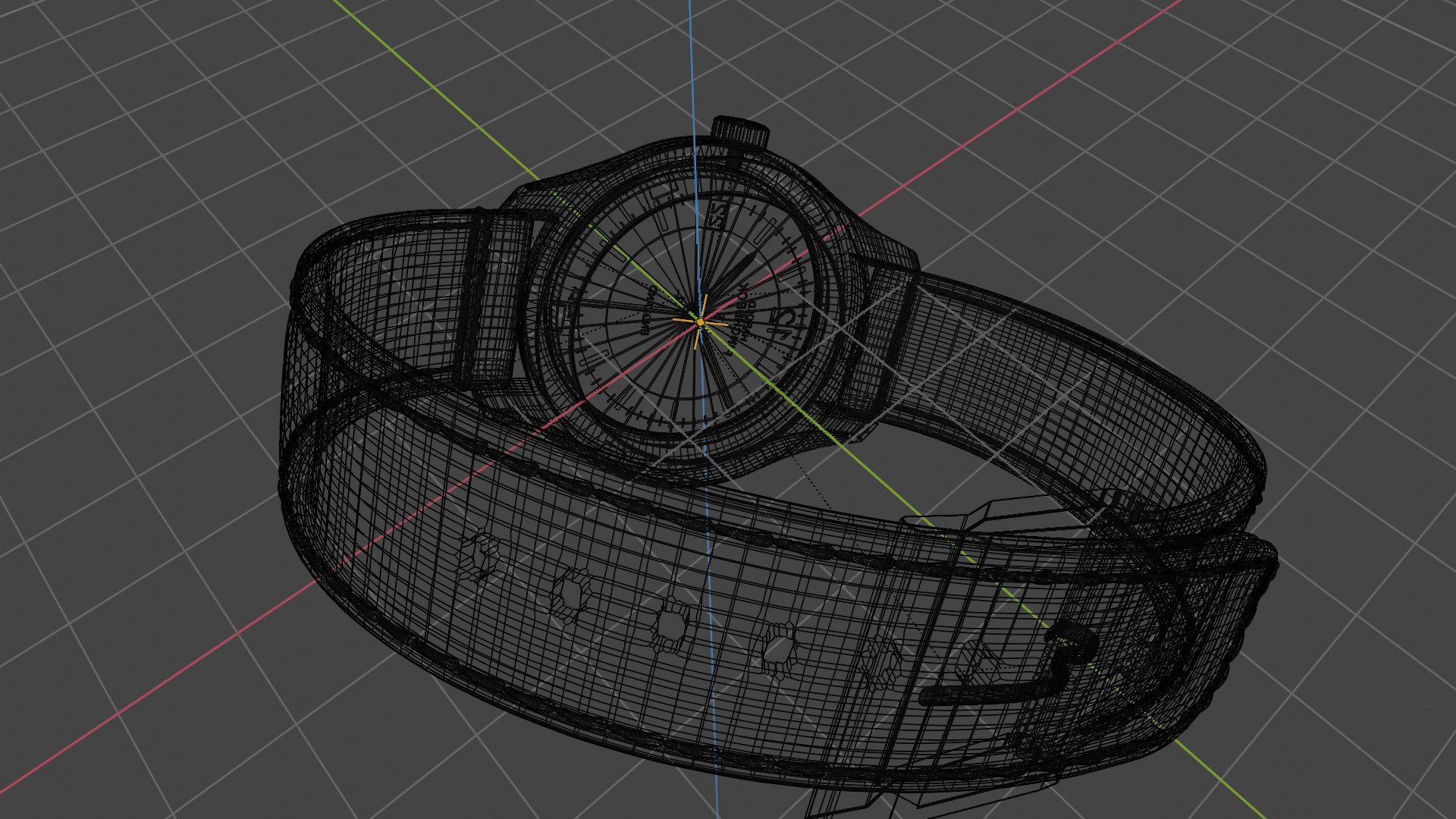
I would imagine many people have no real concept of what a 3D mesh model is, nor what is involved in constructing one. A 3D mesh model is essentially a representation of a three-dimensional object that is created using points in a virtual space, known as vertices. These vertices are connected by edges to form faces, which are typically triangular or quadrilateral shapes. For this example, you are literally re-building the item, or watch in this case, exactly in terms of shape, size, and dimensions, by using vertices in a 3D environment that in turn creates many polygons, and in turn builds up your 3D mesh model. This process allows for high levels of detail and accuracy, resulting in a realistic and visually appealing representation of the original object. Moreover, understanding the intricacies of constructing a 3D mesh model opens the door to numerous creative possibilities, including animation, game design, and virtual reality, ultimately highlighting the significant role that 3D modeling plays in modern digital artistry and technology.
Okay, so first lets have a look at some actual photography of the watch that I am modelling for this example:
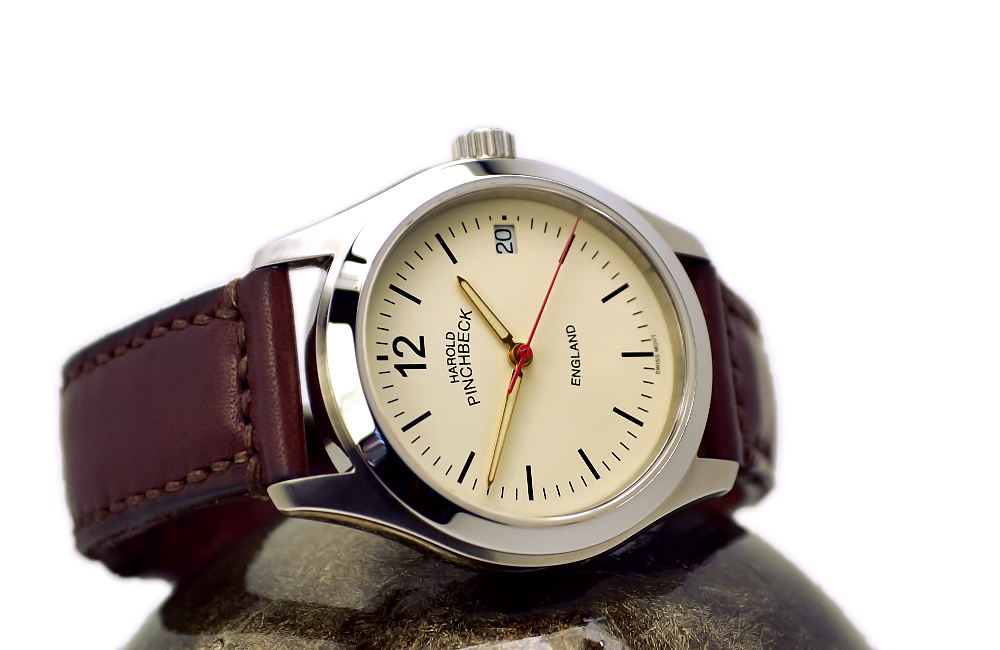
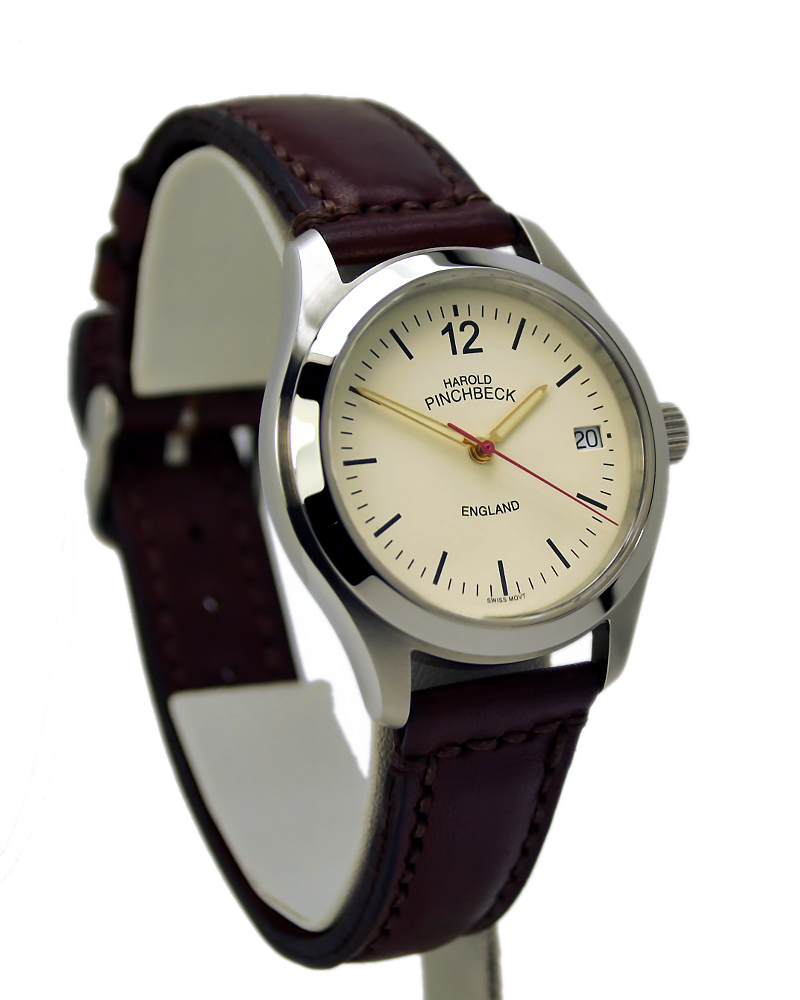
To create the renders you will see further down in this post, I had to construct the poly mesh model of the watch you see above. To do this, I constructed the model in one of my favorite modeling programs: Blender 4.2. Here lies one of the negatives I suppose of using 3d mesh-models, and that is the time to construct the model, for this example it probably took me about a week to build the model. Of course, a huge benefit is that once the model is built, you can use it again and again in many different scenes, change the colours, change the materials used, i.e different leathers or case metals.
So lets have a look at the mesh model and how it is constructed of vertices and polygons:
Now lets look at some of my varying renders of this mesh model above with materials and scenery added:
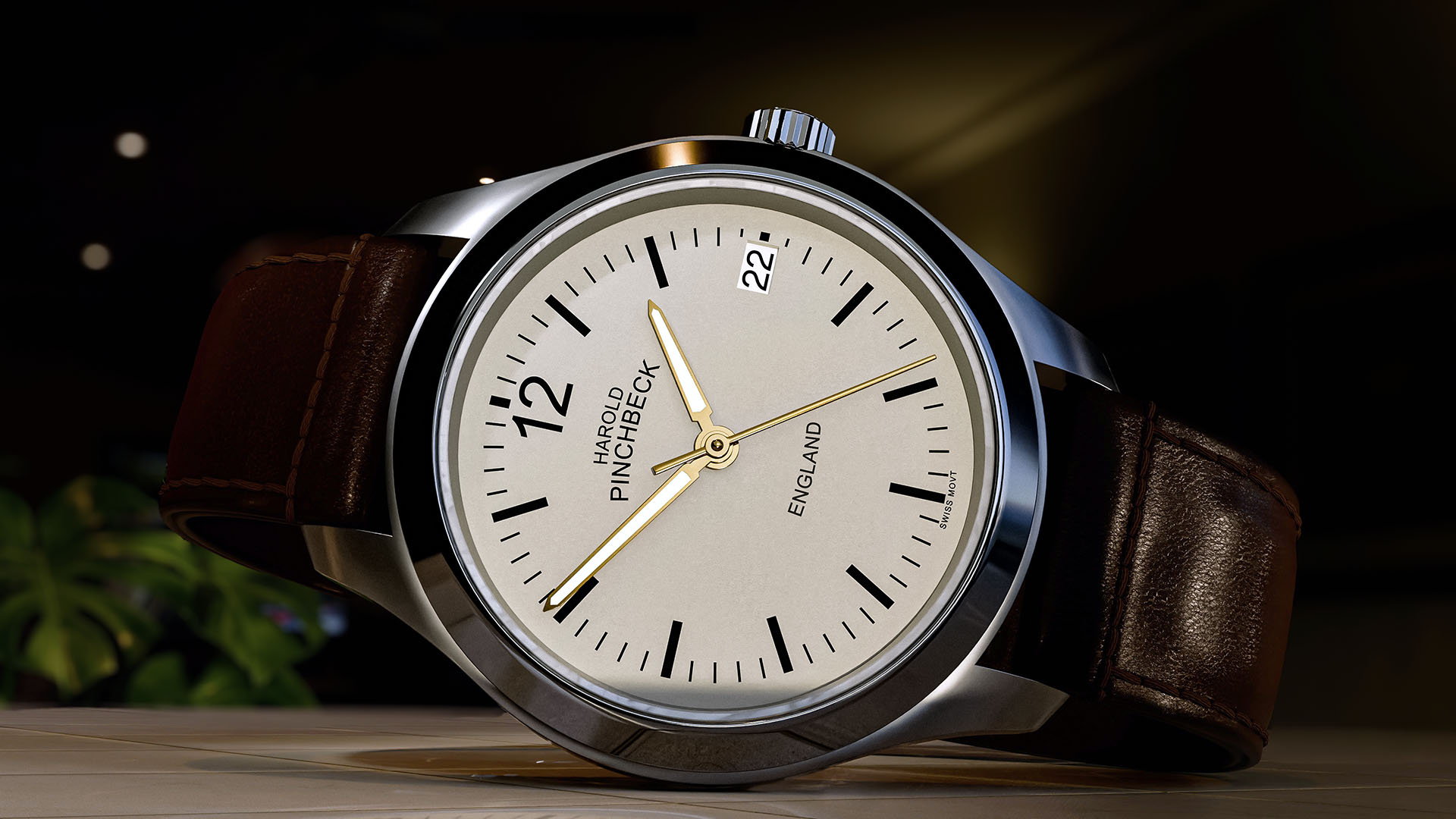
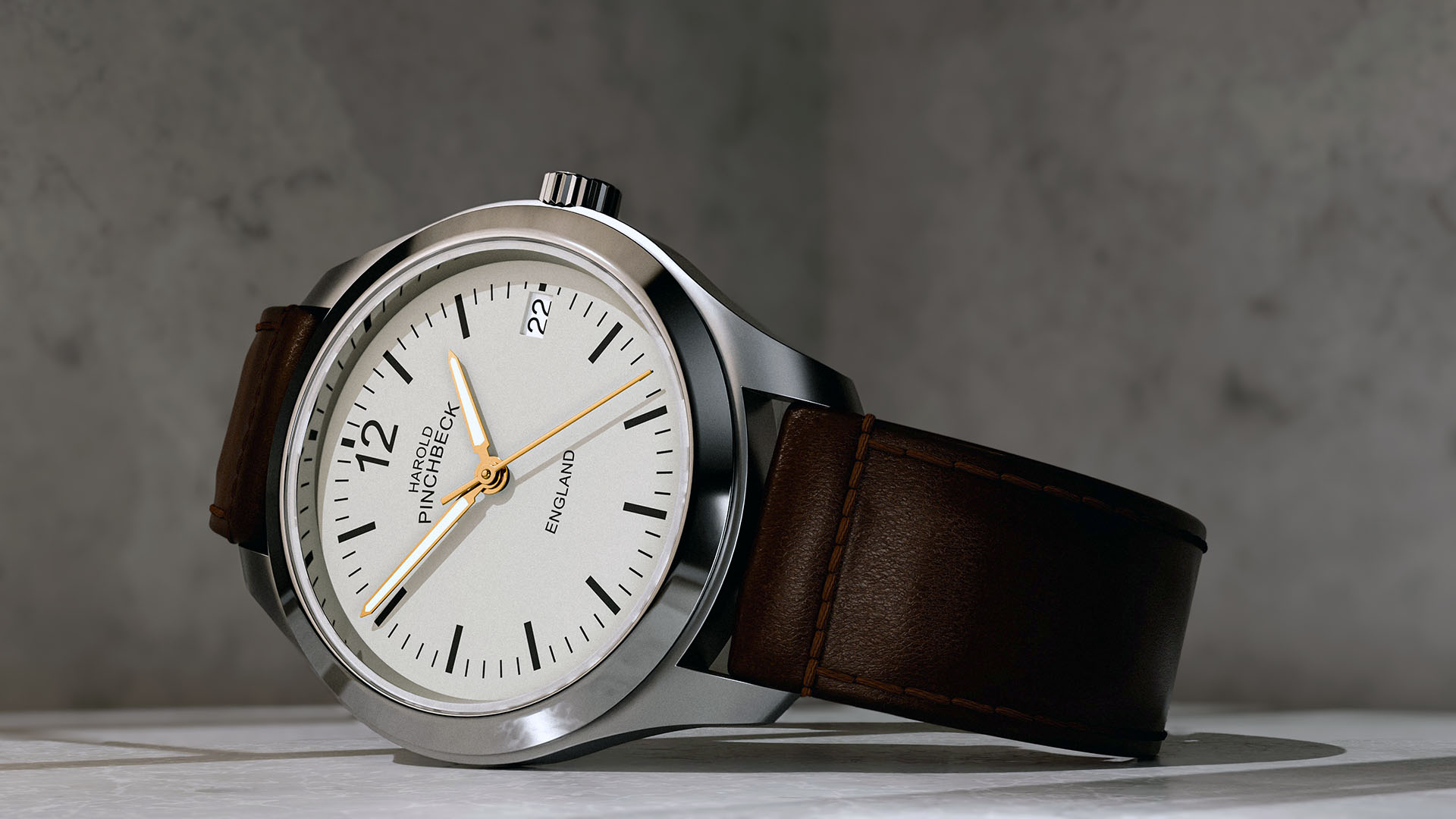
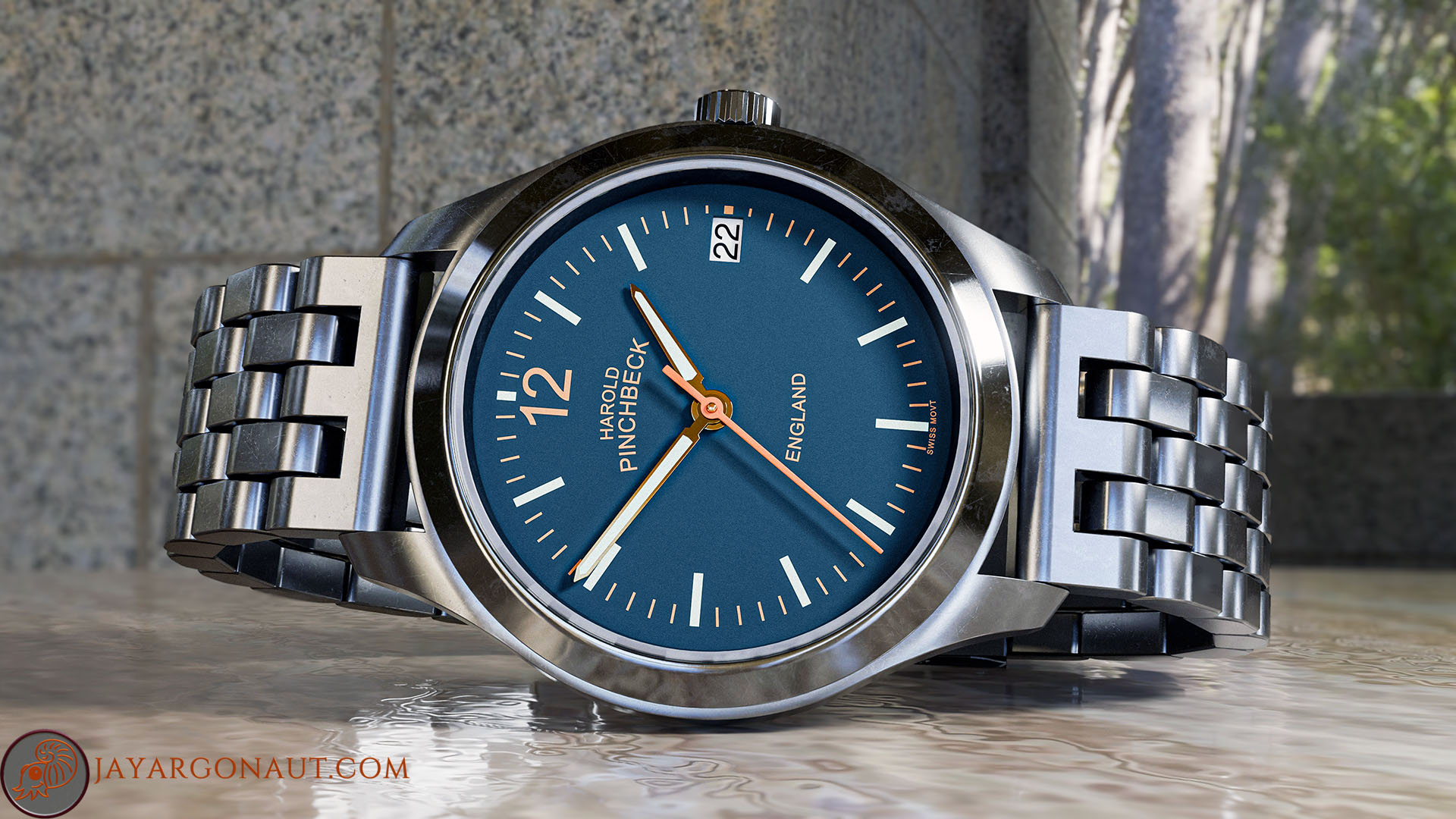
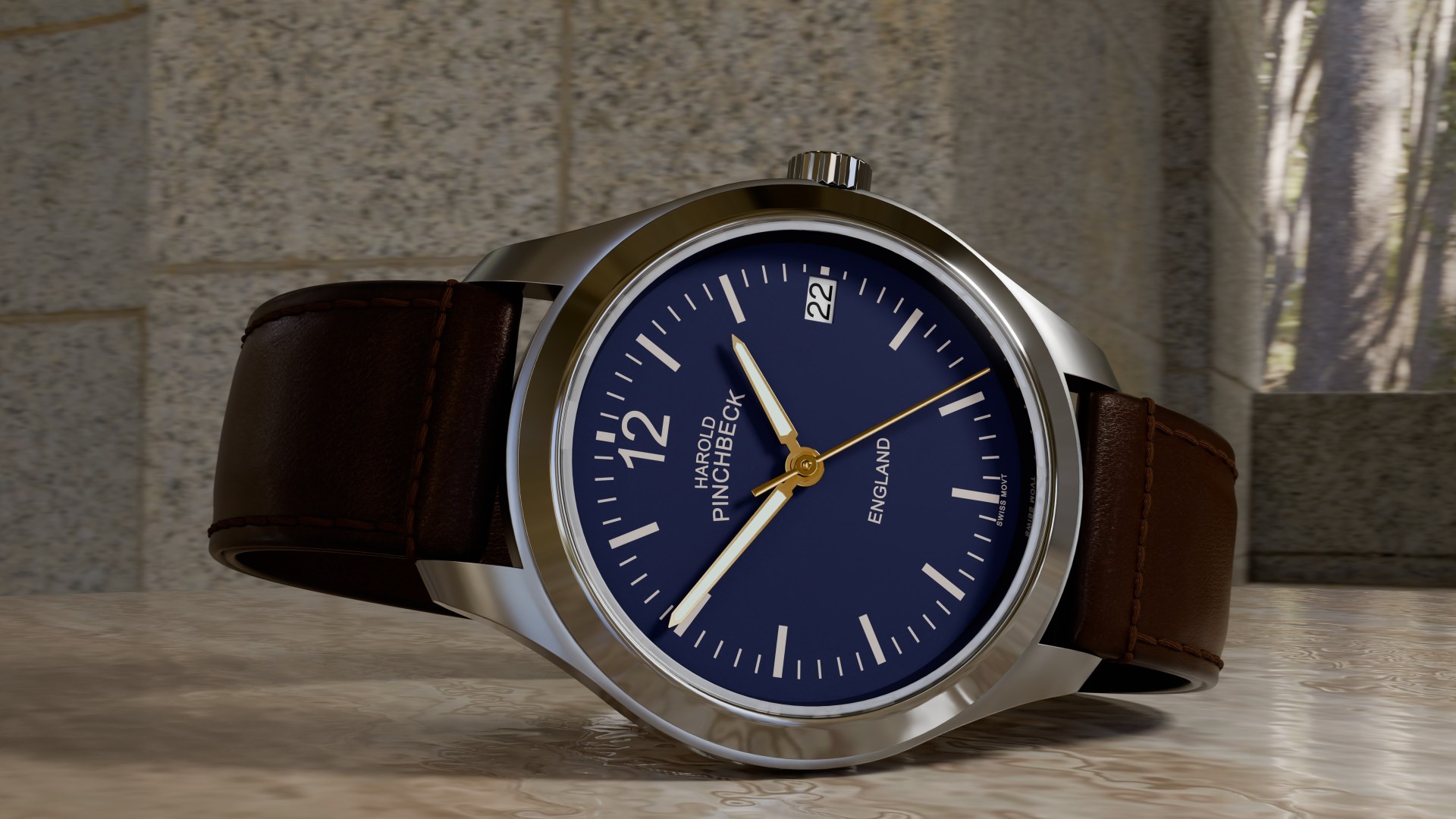
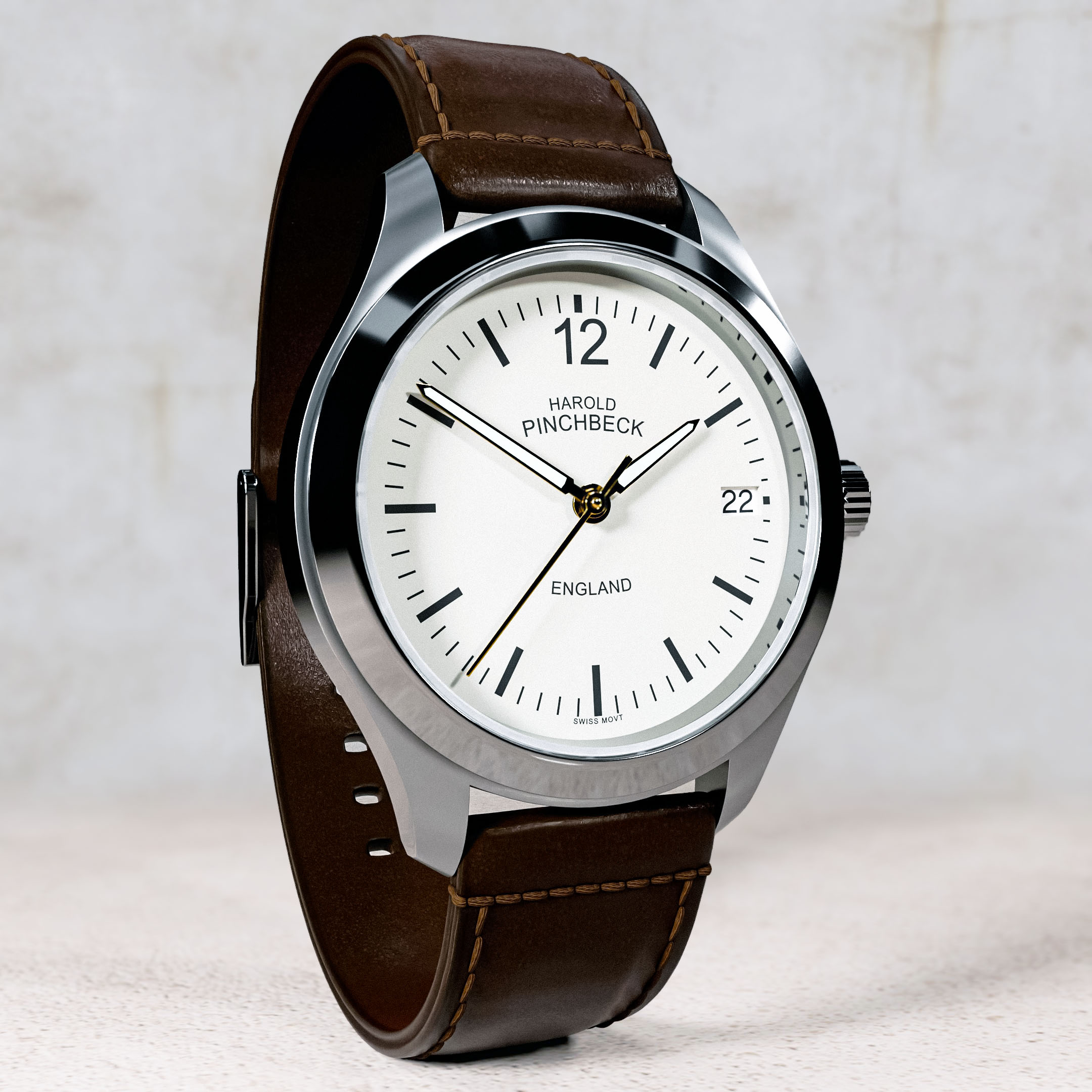
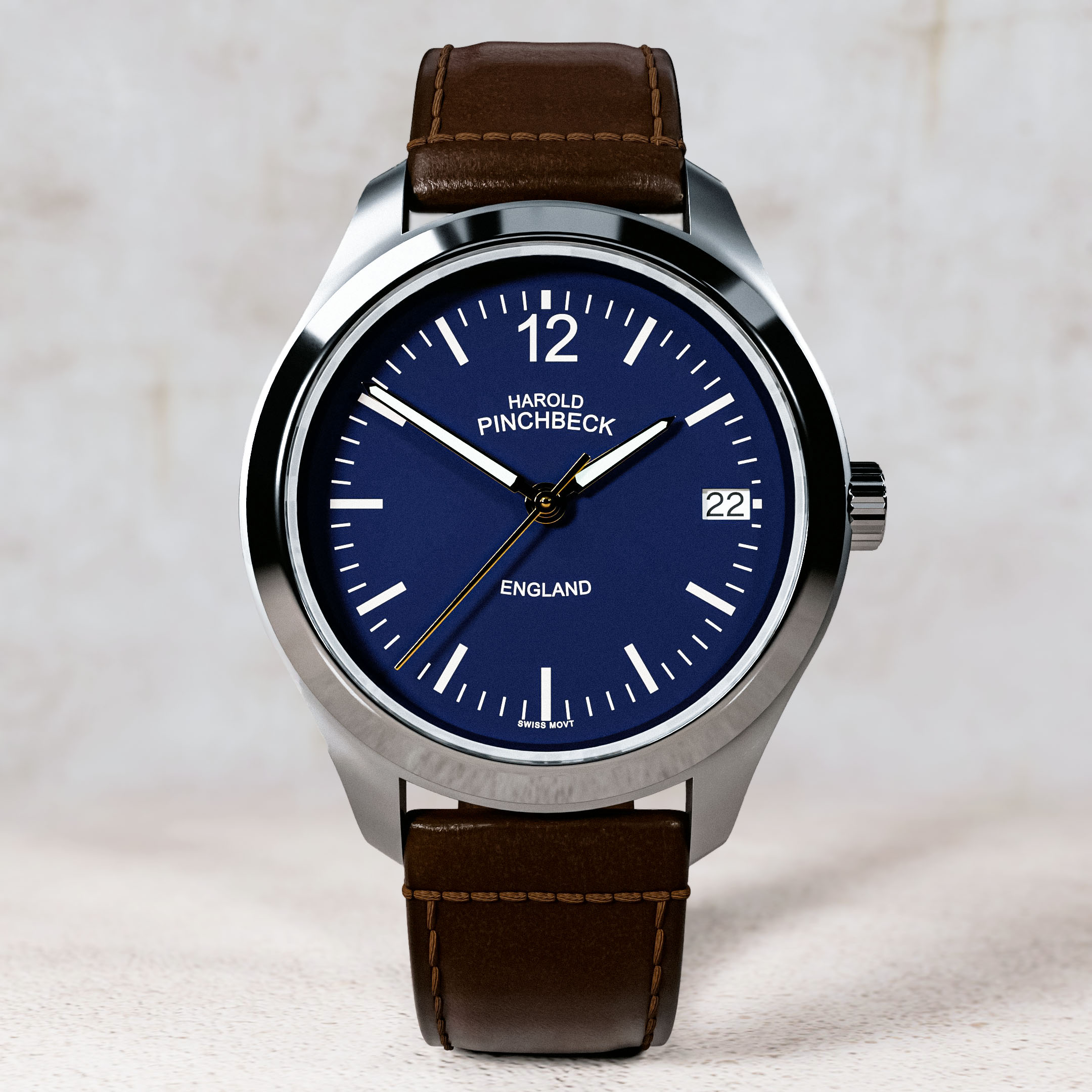
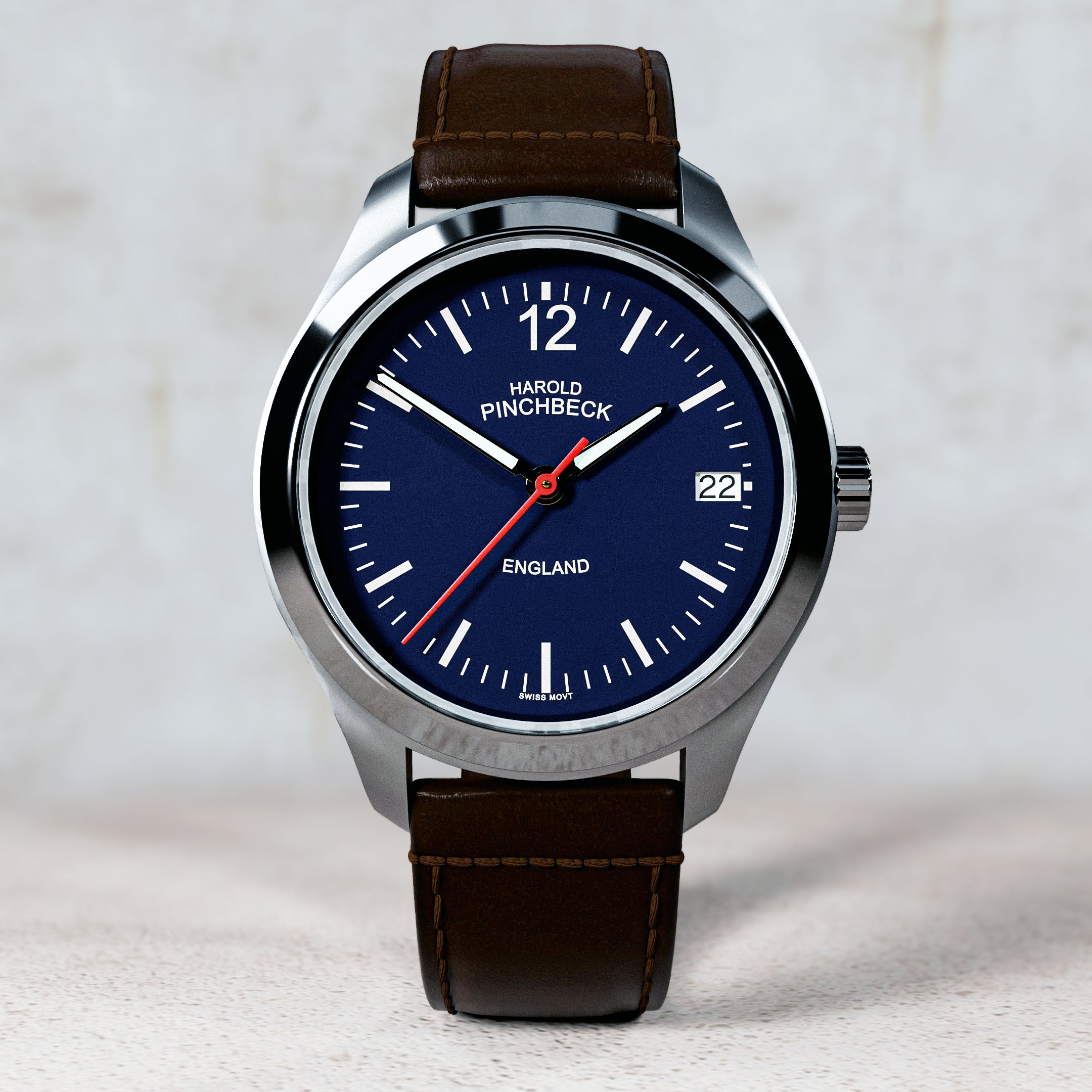
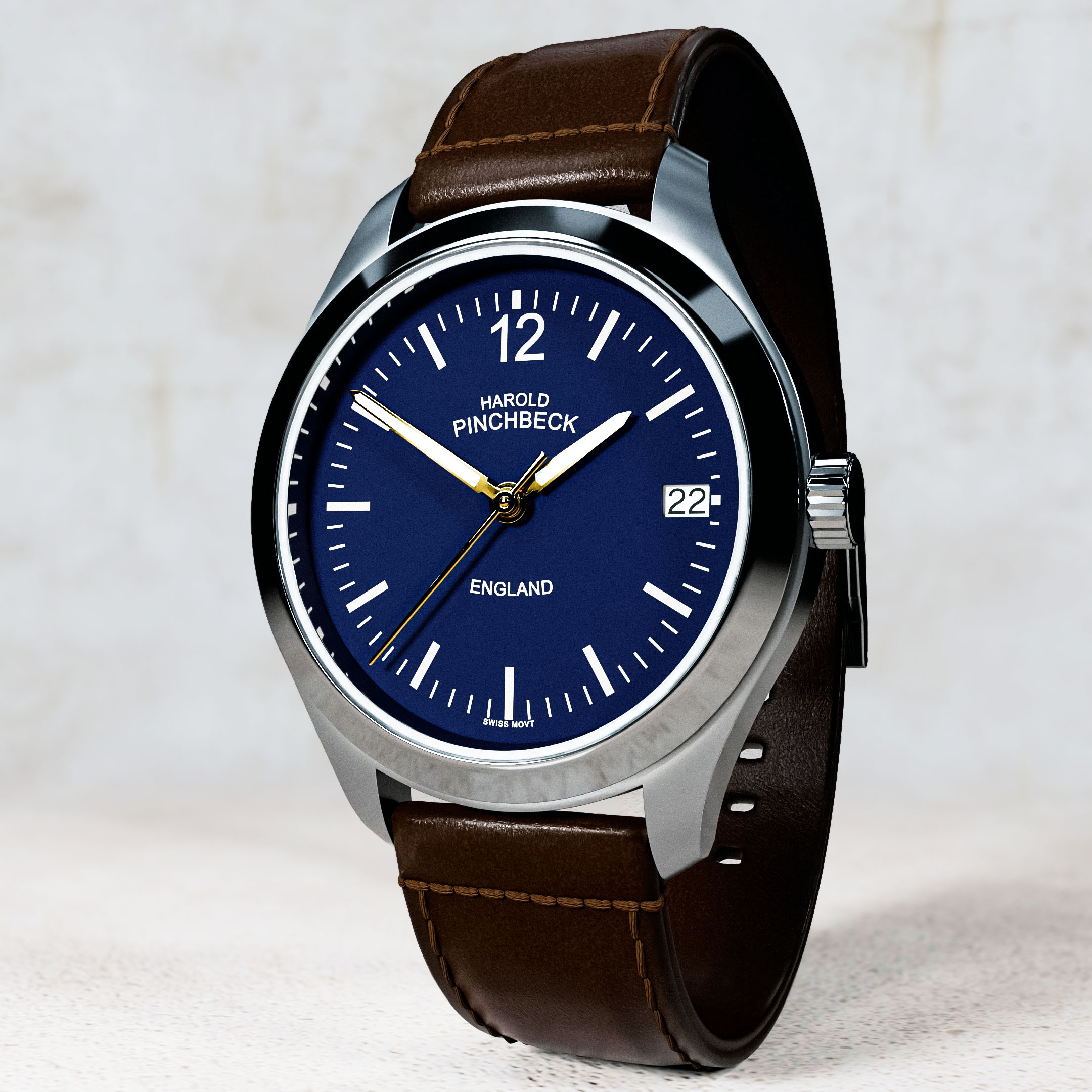
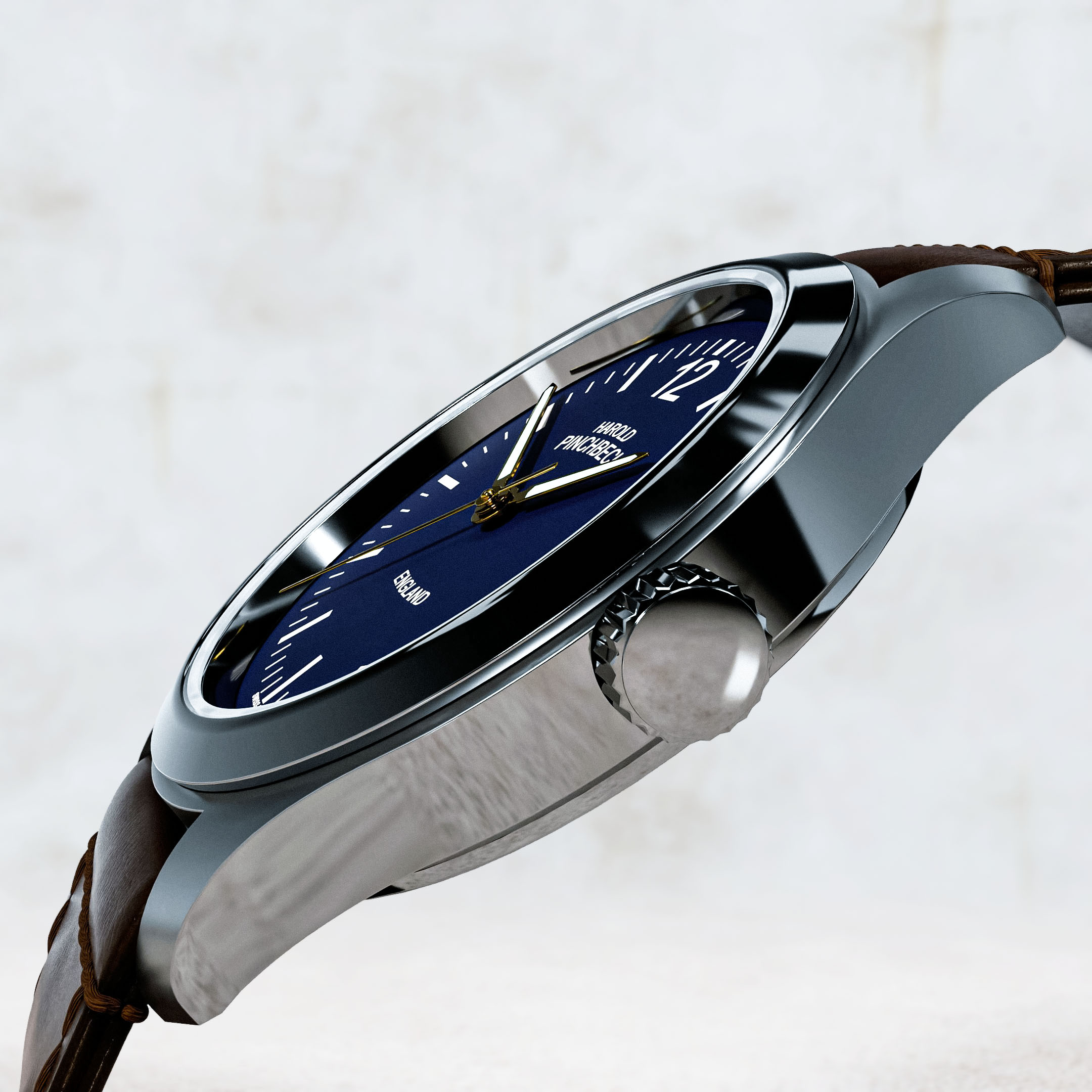
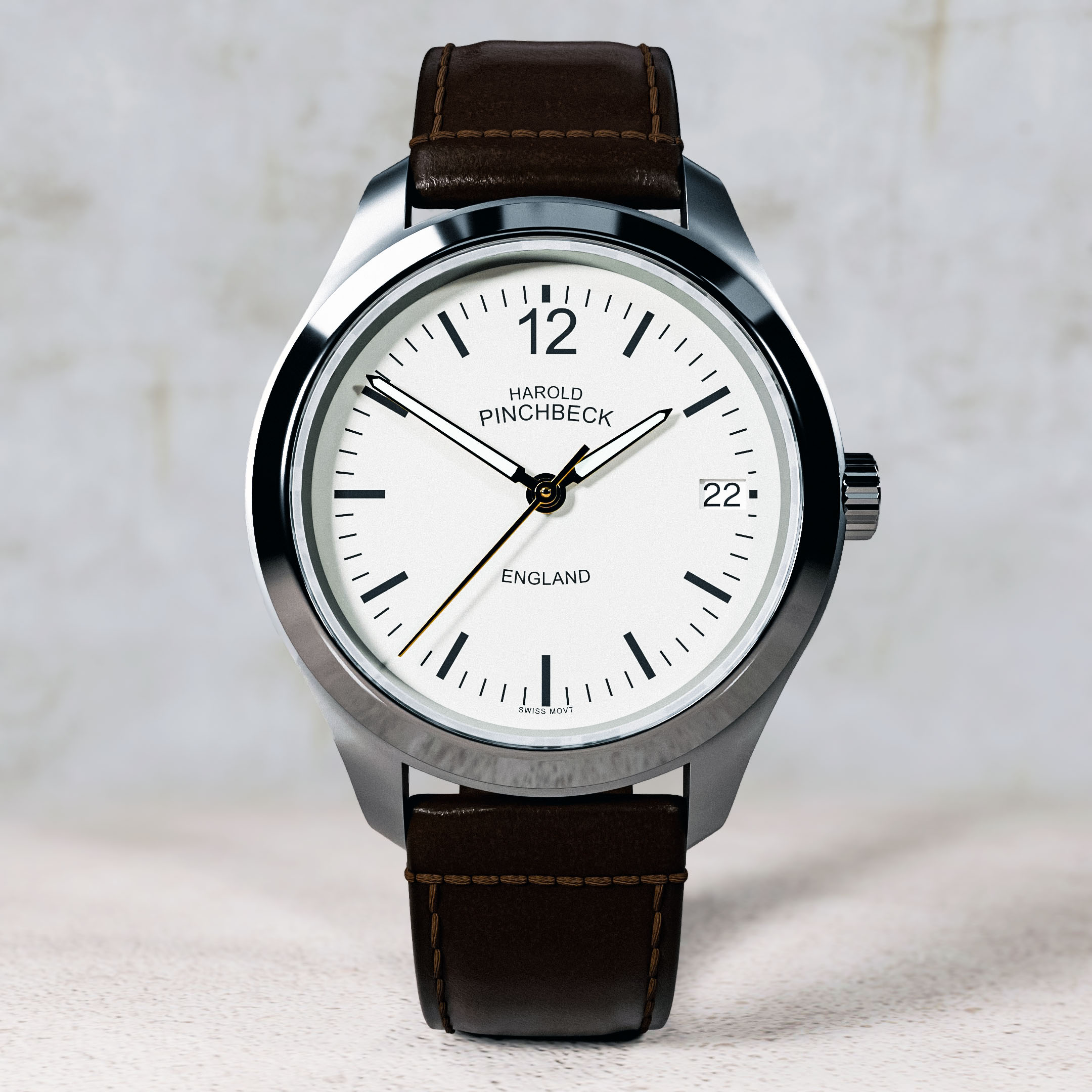

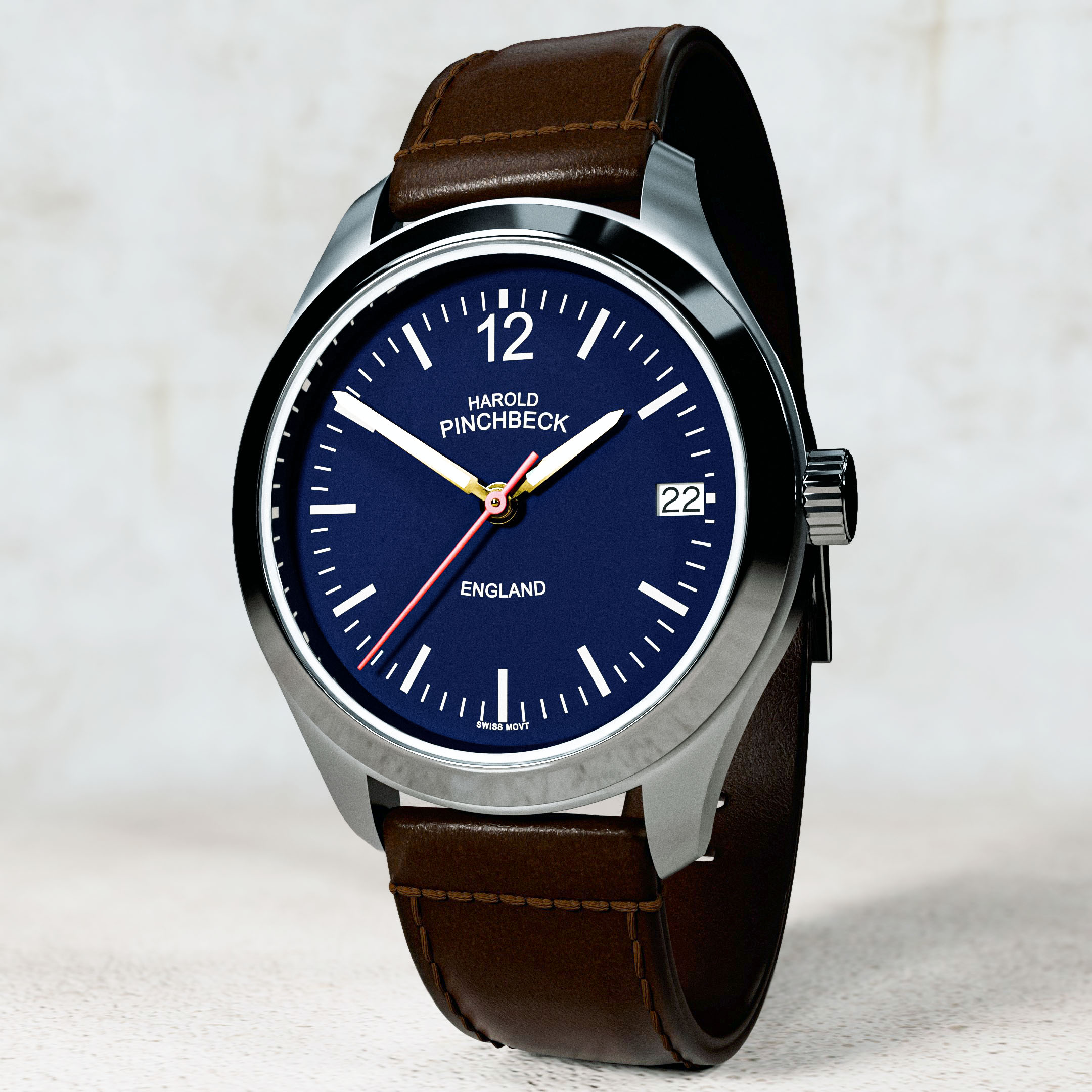
As you can see the finished results are very nice, and varied, this of course being just one of the huge benefits of 3-Dimensional mesh models over products photography, and that being the ability to vary the scenes, scene lighting, and product details very quickly and easily.
So let’s look at these benefits and negatives of using three-dimensional mesh models and renders over photography when it comes to creating product photography. One significant advantage is the ability to manipulate lighting and angles digitally, allowing for a variety of visual styles that may be difficult to achieve with traditional photography. Additionally, 3D renders can provide a level of detail and precision that ensures every aspect of the product is captured perfectly, making it easier to highlight key features. On the flip side, while three-dimensional models offer flexibility, they may sometimes lack the authentic feel that actual photographs provide, potentially leading to a disconnect between the representation and the actual product. Moreover, the initial time investment and technical expertise required to create high-quality 3D models can be a hurdle for some businesses, especially smaller ones. Overall, the choice between 3D rendering and photography often depends on the specific goals and needs of the brand, balancing authenticity with creative control.
Lets summarize the main benefits of using this method over traditional photography
- Cost Efficiency:
- Eliminates the need for physical prototypes, props, and locations.
- Reduces expenses associated with professional photographers, models, and studio setups.
- Flexibility & Customization:
- Easily modify product designs, colors, textures, and lighting without physical changes.
- Quickly create variations of a product (e.g., different colors, angles, or environments) without re-shooting.
- Faster Turnaround Time:
- Speeds up the process of creating high-quality images, particularly for new or customizable products.
- No need to schedule photo-shoots or wait for products to be produced or shipped.
- Unlimited Angle & Viewpoint Options:
- Provides the ability to showcase products from any angle or viewpoint, even uncommon or impractical ones, with no physical limitations.
- Provides the ability to showcase products from any angle or viewpoint, even uncommon or impractical ones, with no physical limitations.
- Consistency Across Visuals:
- Ensures uniform lighting, camera settings, and product positioning across all images.
- Ideal for creating a consistent look for product lines or catalogues.
- No Environmental Constraints:
- No need to worry about lighting conditions, background setup, or external factors (e.g., weather, location permits).
- No need to worry about lighting conditions, background setup, or external factors (e.g., weather, location permits).
- Enhanced Detailing & Precision:
- Allows for fine-tuned control over textures, shadows, and materials for hyper-realistic or stylized representations.
- Can model complex shapes or features that are hard to capture through traditional photography.
- Integration with Augmented Reality (AR):
- 3D models can be directly integrated into AR experiences, enabling interactive product visualization.
- 3D models can be directly integrated into AR experiences, enabling interactive product visualization.
- Virtual Prototyping:
- Can be used for testing and visualizing designs before manufacturing, reducing the need for physical prototypes.
- Can be used for testing and visualizing designs before manufacturing, reducing the need for physical prototypes.
- Post-Processing Control:
- Offers easy post-production adjustments (e.g., lighting, texture changes, or backgrounds) without re-shooting or re-shooting the product.
- Offers easy post-production adjustments (e.g., lighting, texture changes, or backgrounds) without re-shooting or re-shooting the product.
- Sustainability:
- Reduces waste by eliminating the need for multiple physical samples or sets for photoshoots.
Okay, that is it for this post, I hope you enjoyed it and found it informative. If you would like any help or more information on 3D mesh modelling and rendering, please feel free to contact me.
Have a great day everyone😊.
Kind regards, Jay

Discover more from Jayargonaut - Watch Designer
Subscribe to get the latest posts sent to your email.
 Jayargonaut - Watch Designer
Excellences and very nice design Jay.
LikeLiked by 3 people
Thank you Freddie! I hope you are well my friend, and glad you like the design😊. Best, Jay
LikeLiked by 3 people
You’re welcome Jay, I’m good and thank you.
LikeLiked by 3 people
the blue colored face very distinctive, nice
LikeLiked by 3 people
Thank you Wayne😊. I am glad you like it. Kind regards, Jay👍
LikeLiked by 2 people
Classics designs Jay! Very sleek as usual. I was curious as to whether you design the mechanics of these watches as well. If you don’t then do you receive specs from your clients so you can create form over their functions? I found the benefits of virtual designs that you mentioned to be useful. Would love to know more. Cheers!
LikeLiked by 3 people
Hi Ajinkya. Thank you for the compliment😊. Typically, I do not design the workings for the watches. Given enough time I could, but that is the key, enough time. I am usually quite constrained by time and cost. I do tend to stick to outside visual design for watches, but occasionally get involved with other aspects. Yes, I work from specs.
Glad you enjoyed the post Ajinkya. Feel free to contact me if you need help in any aspect. Kind regards, Jay😊.
LikeLiked by 3 people
I see, pretty cool!
LikeLiked by 3 people
Nicely designed and nice post.
LikeLiked by 3 people
Thank you very much😊. I am pleased you like the design and enjoyed the post👍. Kind regards, Jay
LikeLiked by 3 people
To me, the primary difference between photographs and digital renderings is the “fuzziness” of the photos versus the sharpness of the renderings.
For example, you can over-sharpen a photograph and it looks constructed. Likewise, you can soften a digital image to make it look more like a photo.
DxO FilmPack is an app that simulates film (I presume there are others). I occasionally use it to achieve certain looks. Does Blender have anything like it? Meaning, something to simulate a film image rather than a 3D rendering?
Do you apply any ‘softening’ to your renderings? It looks like it for some of your images.
Anyway, great renderings with lots of details and realistic textures.
LikeLiked by 3 people
Hi Emilio. Yes, this is a good point, and I do apply things like this to renders sometimes, depending on the result required.
I have not heard of the App you mention, but in answer to your question about Blender, yes it does in its own way. Blender has a compositor mode that is node based (pretty much like many aspects of Blender now). What this means is: you can apply effects, such as contrast, filters (such as fuzziness, de-noise etc), alpha overlays, and many others post effects to the render. What I mean by node based is essentially these are nodes of code/functions that create effects that you can build up by plugging into each other. This sounds abstract and intimidating to the novice, but once you start to understand the process, it is very intuitive and creative.
I also have to admit I do like to use Adobe Photoshop now for post processing too, the latest version is very useful, especially the ‘Raw Camera Filter’ where you can control many aspects of the image such as Clarity, Fuzziness, Grain, Colour, and a host of aspects that are too many to mention here.
So yes, this does form a fairly big part of images sometimes, of course this is post processing and detail, but can increase the quality of final renders.
Thank you for your comments and compliment Emilio, I do appreciate them.
Kind regards, Jay
LikeLiked by 2 people
Very nice! Even though I know these are 3D renderings, there a some that I can’t tell the difference from a photo. There a couple where the transition from bright and shiny to duller stick out, but if I were not looking for clues, I doubt I would have noted it. I’m envious of your patience (not to mention talent) for doing this kind of work.
LikeLiked by 3 people
Hi David. Thank you for your wonderful compliment, and your keen eye.
Yes, as will will probably understand this all comes down to constraint of time sometimes. The process of modelling and rendering, though a wonderful one in terms of cost in many ways, takes quite some time, all work costs money and sometimes I am tasked with producing my best results in a certain constrained time. So sometimes it has to be just good enough, if you see what I mean, even though I know given enough time, I know it could be better😊.
So I know what you mean for sure. I look at these renders and with some of them I know… ‘ahh’, I could go back and make that better, or that shadow softer, the grain stronger on that paint, or those scratches softer (for a lightly OCD person that can be a nightmare loop😄), but I have to move on to the next project. Maybe I will come back to it when time permits. maybe it is the same in many creative endeavors?
Also, just a note, and it is most probably the same with photography, a lot is down to lighting (maybe one of the hardest parts to get right). The renders work well, but two aspects, and one you might be noting; damage – as in the top image create more realism, but I have to be careful not to put too much wear on new products. And also, as in the second ‘Parchment coloured dial’ artistic shot, the transition is a little harsh and shadows a little too harsh, this could be the GOBO lighting being too strong, or the IOR of the material needs playing around with. Either way it will have to wait to another day when I have the time to play with it.
Hope this helps, and a great point that I always like to discuss and delve into.
Thanks again for the great compliment David.
Kind regards, Jay
LikeLiked by 3 people
Your welcome, and yes lighting/light is very important. With photography, white subjects can be tricky because white reflects the light which causes a loss of detail. Black absorbs light, so there is a loss of detail there. So, when it comes to lighting and the difficulties it can create, I feel your pain. 🙂
LikeLiked by 3 people
Thank you David. That is a good and simple explanation. I am no major photographer, but years ago I did spend quite a period photographing watches, and boy they were hard to get right! That is maybe, partially, what pushed me into the rendering world, as you have so much control over all these aspects. Of course you have another problem then of creating a real image in a mostly artificial environment, but the tech is getting better all the time in terms of colour management etc.
I have a great respect for great photography and photographers!
Best, Jay😊
LikeLiked by 3 people
Would AI reduce time needed to construct 3D mesh? (from 1 week to one day or less)
LikeLiked by 3 people
Hi Sergei. Not really. I haven’t found anything useful in AI in what I would need – in terms of constructing build ready watch designs, especially when creating something from imagination or a specific design request. I just don’t see how it can be done, at this stage at least.
AI has its use in terms of post processing visual renders, in Adobe photoshop for example, in speeding up many processes. I once tried, very briefly, some form of AI in producing low-poly game type models; so in terms of game assets, or the like, then it might be useful, and of course very quick! But it is a huge leap to go from this, to constructing an entire design that meets personal tastes, high-tolerance engineering specs, manufacturers specific requirements, and also the visual artistic element you might be looking for.
Of course I am always open to looking and learning new ideas, and tech, when presented!
I hope this all makes sense, and helps.
Kind regards, Jay😊.
LikeLiked by 3 people
OK, yes I understand and agree. Thank you
LikeLiked by 3 people
i just love your work. respect and greetings
LikeLiked by 5 people
Thank you Gary my friend. I sincerely appreciate your compliment and support👍.
Best and kind regards, Jay😊.
LikeLiked by 3 people
Well, this is fabulously fascinating, Jay.
I wonder how it could be useful to me? I don’t know, yet, but would never rule anything out.
The thing I like the best is the aspects of lighting.. I so know about the insanity and time taken to light an object, or a scene. Also, no matter how fabulous the image comes out, if you want a different mood/ high lighting of details, you need to relight, or reposition within existing lighting.
The watch looks marvellous, and your featured options sublime.
Thank you so much & cheers,
Resa
LikeLiked by 4 people
Hi Resa. Thank you so much for your wonderful compliments!
Yes, the dreaded lighting, it is the part you don’t much think about when you start out, but as time goes by you realize how important it is, and how difficult it can be!
The rendering environment most certainly helps with this as you have so much control, and so easily once you have learnt how to manipulate the lights. Blender, the software of choice for me, even has something called ‘light-linking’, which allows you to choose which objects will, or will not, be lit in a scene. So, for example, you can have two objects next to each other in the same scene, and choose one to be lit by the lights…and the other not! So much control!
I am glad you like the watch Resa😊.
Kind regards, Jay
LikeLiked by 2 people
I loooove the color of the face 😍
LikeLiked by 3 people
Glad you like it Rojie😊. I assume you mean the light teal & peach. I have to admit teal is one of my favourite colours too. Thank you & kind regards, Jay
LikeLiked by 3 people
Yess exactly!! The contrast in the colors is beautiful
LikeLiked by 3 people
Thank you Rojie👍. Lovely combination isn’t it, pleased you agree. Best…Jay😊
LikeLiked by 3 people
BUONA DOMENICA
LikeLiked by 3 people
Thank you. Happy Sunday to you too my friend👍.
LikeLiked by 3 people
BUONA SERATA
LikeLiked by 1 person
Very nice. 🙂
LikeLiked by 1 person
Thank you for that comment😊. I am glad you like it. Kind regards, Jay
LikeLiked by 2 people
My pleasure. Have a great day. 🙂
LikeLiked by 2 people
BUONA DOMENICA …..
LikeLiked by 2 people
So beautiful! My husband would love this one!
LikeLiked by 4 people
Thank you Valerie for that kind comment😊. I am glad you like it. There are, I believe two still left available, if he is interested in the light parchment dial version: https://haroldpinchbeck.co.uk/watchmakers-special
After this they will be all sold and the company want to modify the dial slightly, with font variation and some new colours, including matching leather strap threads. The design and colours aren’t yet definitely settled upon, but can give you a sneak peek:
Kind regards, Jay😊
LikeLiked by 2 people
So beautiful! They are a bit out of our price range!
LikeLiked by 3 people
Thank you Valerie. I am glad you like them😊. Because they are all hand-made and, with high-end materials, and often made to order, they do come at a cost…and of course not everyone’s cup if tea. Kind regards, Jay😊.
LikeLiked by 3 people
Yes, they are lovely! Have a Blessed Christmas!
LikeLiked by 3 people
You too Valerie. A wonderful and blessed Christmas to you and yours😊! Jay
LikeLiked by 2 people
Happy new year, Jay! I hope all is well your way! Wishing you the best in 2025 and always! 😊 ☕️
LikeLiked by 3 people
Happy new year Laura😊. Thank you for your positive wishes! They are greatly appreciated. I hope 2025 is a great year for you too…and far far beyond. Kind regards, Jay☕😊👍.
LikeLiked by 3 people
Beautiful design on all the watches. They are awesome.
LikeLiked by 2 people
Thank you Jesse for that great compliment👍. I sincerely appreciate it! Kind regards, Jay😊
LikeLiked by 2 people
Sure any time you do great work
LikeLiked by 2 people
Beautiful, Jay. Don’t know how I missed your post the first time. I love your passion about your work…it shows 😎
LikeLiked by 3 people
Thank you Darryl👍. I appreciate your support and kind comments. No worries….I haven’t had a lot of time to visit my own blog since the new year, things can get real busy sometimes can’t they. Best, Jay😊
LikeLiked by 2 people
Absorbing tech insight Jay, lovely timepieces as usual!
Cheers, Andy
LikeLiked by 3 people
Thank you Andy👍. I appreciate your feedback – being a watch enthusiast with good taste! I am glad you enjoyed it and like the watches my friend. Best, Jay
LikeLiked by 3 people
My pleasure Jay, such an interesting blog site!
Take care, Andy
LikeLiked by 3 people
Very nice design
LikeLiked by 3 people
Thank you😊. I appreciate your kind comments. Kind regards, Jay
LikeLiked by 2 people
Fascinating process I had no idea as you said most won’t know, I sure didn’t . What a fascinating but worthy process , thank you for this education and appreciation of the work you do. Amazing!
LikeLiked by 3 people
Thank you Kerri for your great comment and kind words🙂, I sincerely appreciate them! I am pleased you enjoyed the post. Kind regards, Jay
LikeLiked by 2 people
Thank you for sharing.
LikeLiked by 2 people
Hey man how are you? You haven’t posted in a while, was wondering where you went lol
LikeLike
Hi Ajinkya😊. Yes, my apologies to everyone. I have pretty much taken the last year out. For several reasons really, mainly my Son is now off and studying at University so we both spent a good bit of time out preparing and adjusting for him to settle in successfully. I am now back & all is well👍! Thank you for noticing and your message😊. Kind regards, Jay.
LikeLiked by 1 person
Oh that is wonderful! Good to see you back! Wish your son the best at university! Looking forward to seeing your posts. Cheers!
LikeLike
Hi Jay! I’ve nominated you for the Sunshine Blogger Award 2026. Here is the link-
https://thepanvelite.com/b/8Ce
Be sure to answer all the questions in your post. I have always loved the simplicity of your designs. Cheers!
LikeLike