
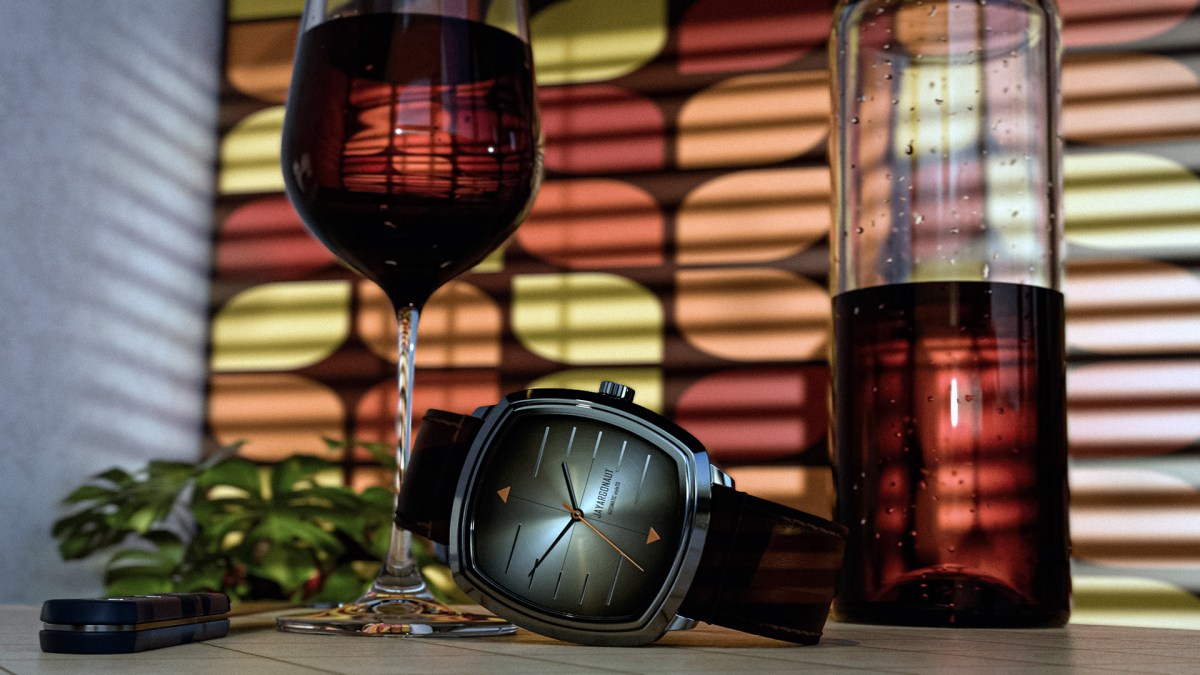
I want to demonstrate visually the process of achieving a sense of authenticity and lifelike quality in 3D poly-mesh models through a series of rendered images.
This isn’t going to be a how-to post, it is just a quick visual demonstration through renders of a ‘wristwatch in the kitchen’ scene I have modelled and built using Blender to show how the model gets from mesh-model level to a life-like image.
That realness of my final scene can be a long and arduous process. It involves choosing and creating the right materials, paying attention to details such as shading, flaws, scratches, dents, and lighting the scene with go-between lights. Additionally, the process entails arranging the elements within the scene, ensuring that they interact and complement each other seamlessly. It also requires a keen eye for color coordination, as well as an understanding of how different textures and finishes can enhance the overall visual impact of the scene. Each decision made during this process contributes to the authenticity and depth of the final portrayal, making it a truly intricate and rewarding endeavor!
My Final Rendered Scene:
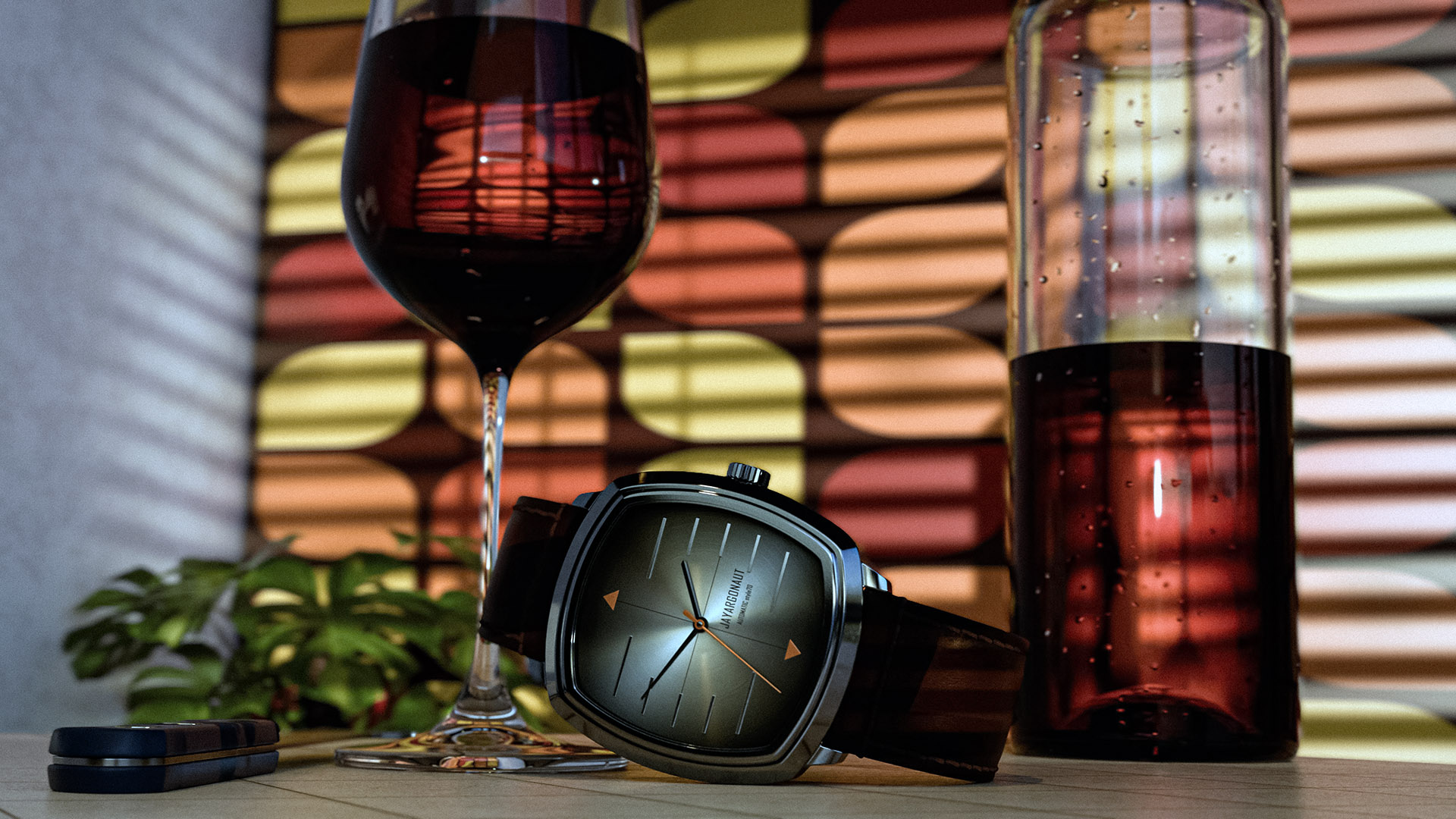
The Base Wire-frame Mesh Model:
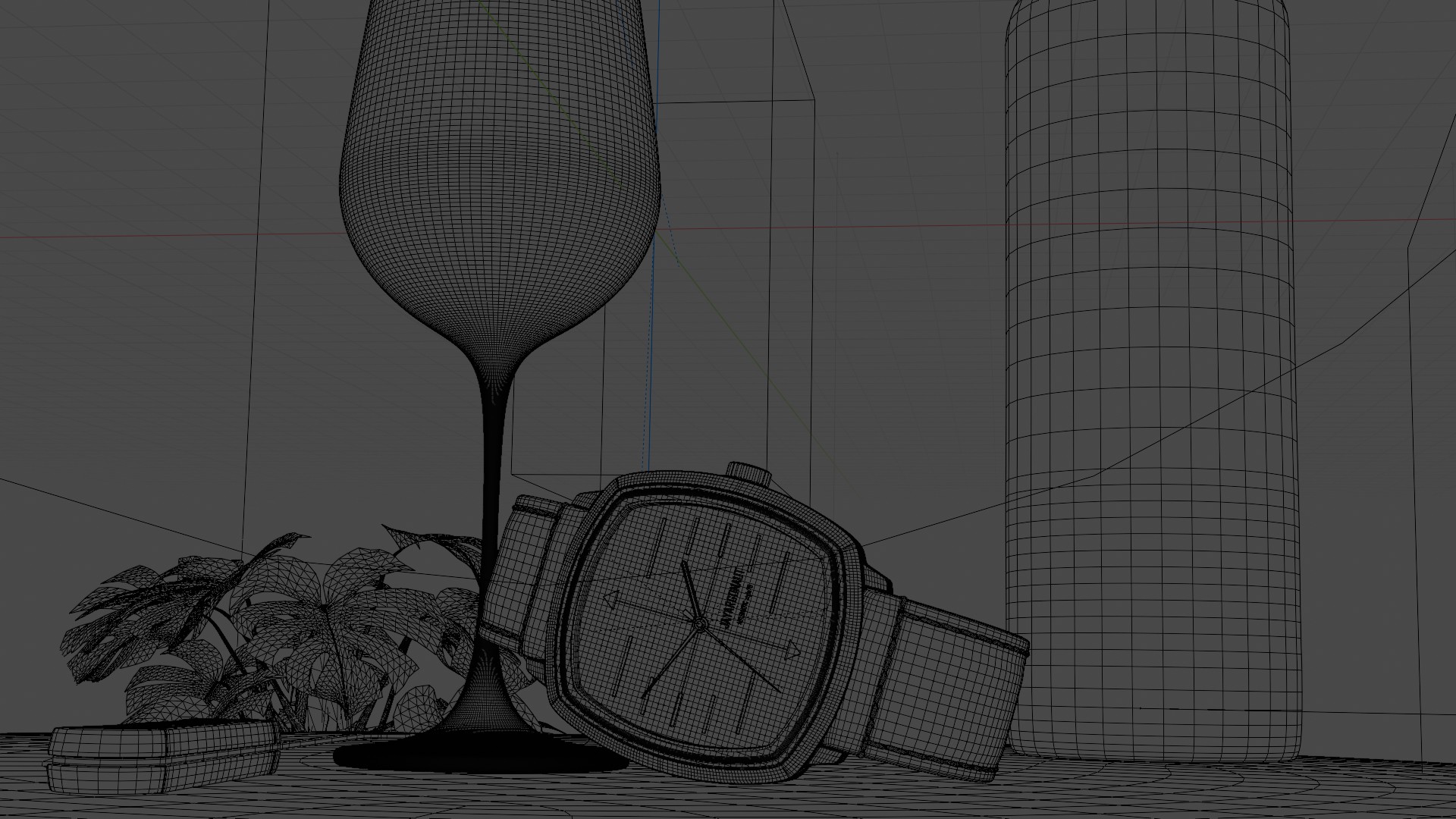
A Normals-map View of the Scene:
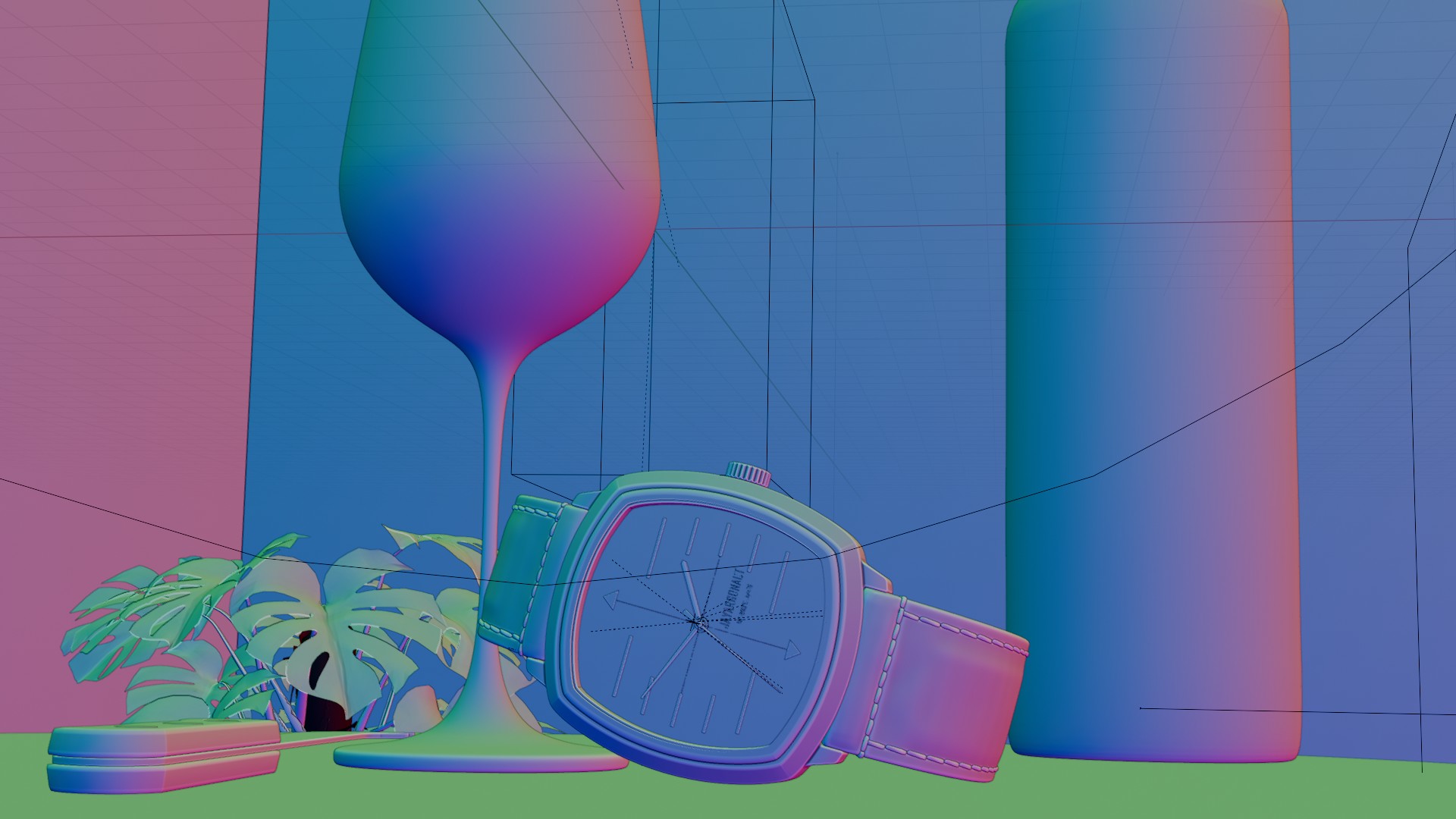
Rendered Scene Before Final processing:
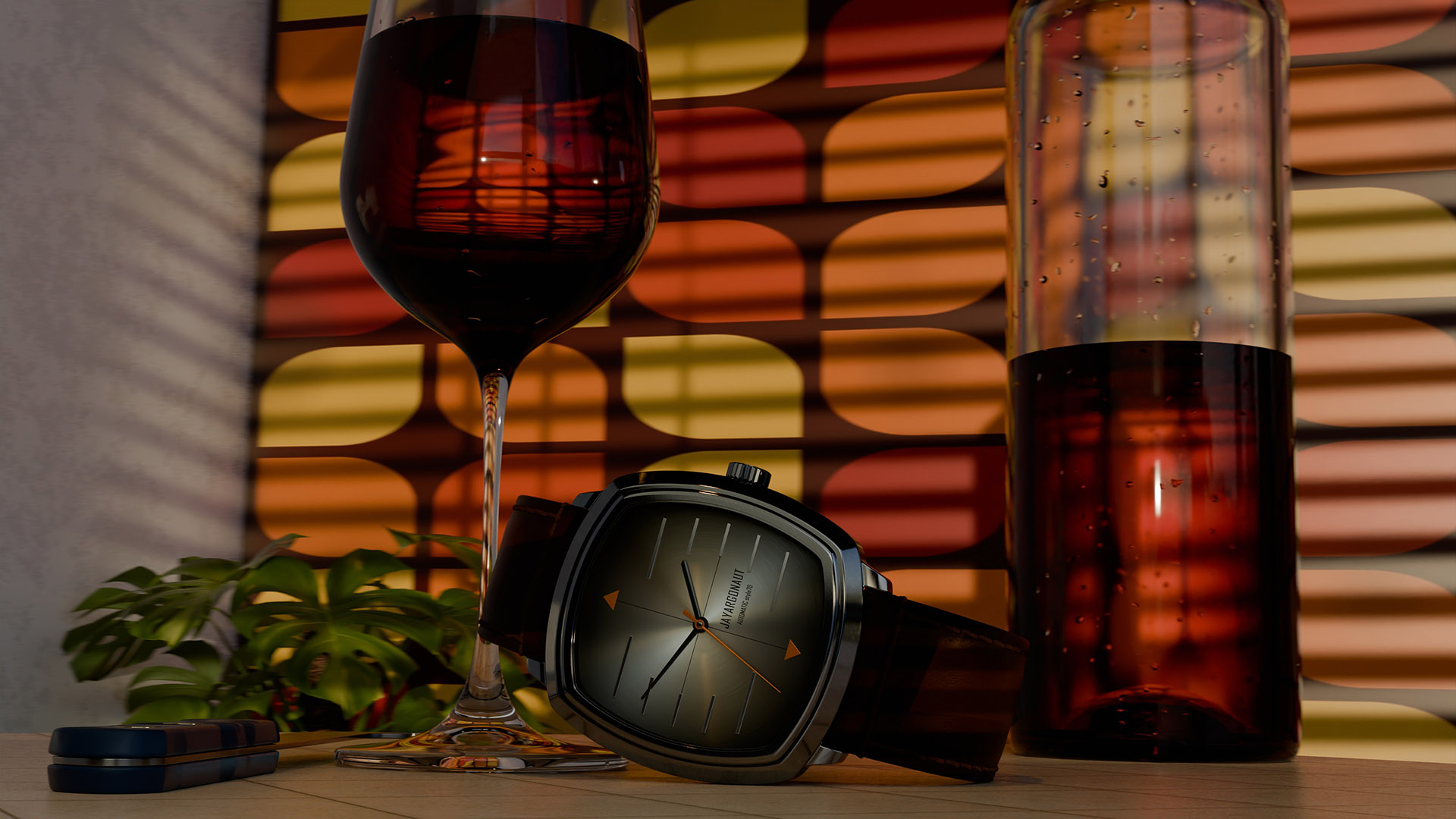
Final Render and Post-processed comparison:
The devil really is in the detail when it comes to achieving a real-feel to your render. Every aspect, from the texture of the materials to the interplay of light and shadow, plays a crucial role in creating a truly immersive visual experience. Paying close attention to the minute intricacies of the design and meticulously refining each element can significantly enhance the overall quality of the render, bringing it to life with a captivating sense of realism.
The finished wristwatch scene you see above was rendered and processed many times over. After rendering the scene, I spent time looking at it to evaluate its overall appearance and ensure that the details were accurate. I carefully examined each element, from the positioning of the wine bottle and glass to the reflection of light on the droplets. It was important to capture the essence of the scene, evoking that sense of realness, as if it were a photo of a real scene. As I scrutinized the rendered image, I began to notice nuances that warranted adjustment. I revisited the scene multiple times, considering the placement and density of the water droplets. At times, I wondered if there were too many, causing a distraction from the focal point, and at others, if there were not enough to convey the desired atmosphere. Achieving the right and balanced amount of water droplets, for example, or other aspects of detail, requires attention to detail and literally just spending time with your finished scene. It is a process that demands patience and a discerning eye, but ultimately this time and attention are worth it.
I have to admit, as a passionate creator, that as much as I love using Blender 4.2 for building and rendering my scenes, I would not be without Adobe Photoshop, which has become an indispensable tool for most of my post-processing of images. The Camera Raw Filter is truly priceless; it allows me to add depth of field, enhance the texture in the image, and achieve a level of organic realism that is essential for my artistic vision. Moreover, the ability to correct and auto-correct colors and tone is an extremely useful tool I find myself relying on time and again, especially when fine-tuning the overall mood and atmosphere of my visual compositions. Learning and using these two software applications well has streamlined my workflow, enabling me to achieve my creative objectives with precision and efficiency.
Have a great day everyone and I hope you enjoyed this quick visual journey!😊
Kind regards. Jay

Discover more from Jayargonaut - Watch Designer
Subscribe to get the latest posts sent to your email.
 Jayargonaut - Watch Designer
Very cool. It looks like you put a lot into it.
LikeLiked by 2 people
Thank you Leturos. Pleased you like it😊. Yes it is a very lengthy process to be truthful, but a rewarding one!
LikeLiked by 3 people
I wish I had time to learn this stuff. But the second best thing is reading about people who are good at it!
LikeLiked by 3 people
Thank you Christopher. I am glad you enjoyed the post! Kind regards…Jay😊
LikeLiked by 3 people
An amazing achievement! The final render is so life-like it jumps right off the page.
LikeLiked by 3 people
Thank you MagickMermaid😊. Glad you like the result! Kind regards…Jay😊
LikeLiked by 3 people
Very interesting process!
LikeLiked by 2 people
Thank you Ajinkya😊. I am glad you enjoyed the process and the post. Kind regards…Jay✌️
LikeLiked by 2 people
Wow! A lot of work goes into rendering.
Maybe more than in real life sometimes?
Fab post!
LikeLiked by 3 people
Hi Resa. Yes it is a lot of work, fortunately one that I find personally rewarding, as I spend so much time doing it. Yes you could be right, real life can be simpler. What it does give over real life is the ability to create just about anything you can imagine if you are willing to spend the time…appealing to the creator in me. I am sure as a creator yourself you know exactly what I mean. Thanks, glad you liked it…Best, Jay😊
LikeLiked by 2 people
I know exactly what you mean, Jay.
The important and amazing thing is to create. 🌟
LikeLiked by 2 people
Completely agree Resa! Best…Jay😊
LikeLiked by 2 people
❦🌹🌟
LikeLiked by 1 person
Beautiful pictures.🙂👏🏻
LikeLiked by 1 person
Thank you😊. I am glad you like them. Kind regards…Jay
LikeLiked by 2 people
Congratulations, an excellent realistic design work with great visual impact.😉👏🏻
LikeLiked by 2 people
Thank you, I am glad you like it😊. I sincerely appreciate your kind words…Jay😊✌️
LikeLiked by 1 person
😉✌🏻
LikeLiked by 1 person
This is beautiful! I love it! Bravo 👏🙂
LikeLiked by 2 people
Thank you so much for your kind words Angela🙏. I am glad you like it…Jay😊
LikeLiked by 1 person