
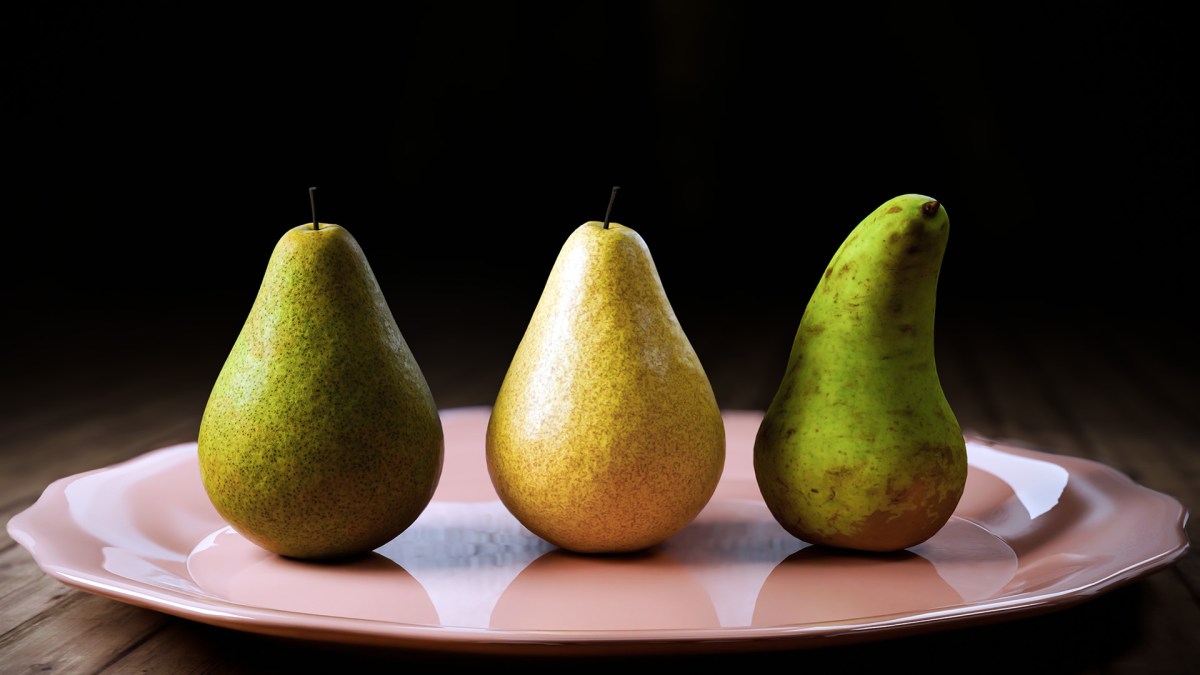
How do you make a Pear look like a Pear? Hmm…good question! ”What is the last thing I learned” asked the WordPress prompt? Another good question…
Okay how do I talk about these two questions and wrap them both up together. Well in my last post I said I would talk about applying a material to a pear model in Blender…”who cares” you say! well I know, probably not many people, but I always like to share good information that I have learnt, and teach people that want to learn…if I can.
When applying materials to your 3D model in Blender you have just created, a key question that can chime in your head is: which type of material route should you go down – should I use a PBR material (Physically Based Rendering)? Or should I create a procedural material? You see, once you have made your 3D model…Let’s say for this post you just created a ‘Pear’ 😋, well to actually make it look real, delicious, and tasty…you have to apply what we call in the 3D modelling world, a ‘material’, or you could say ‘a skin’ on the pear to make it look ‘real’. For another metaphor to describe this process – it is a bit like ‘painting-in’ the skin of your pear you just outlined on paper, if you see what I mean? So let us have a look at the key differences between these two different types of materials and learn the key fundamental differences…you know, to help you decide🤔:
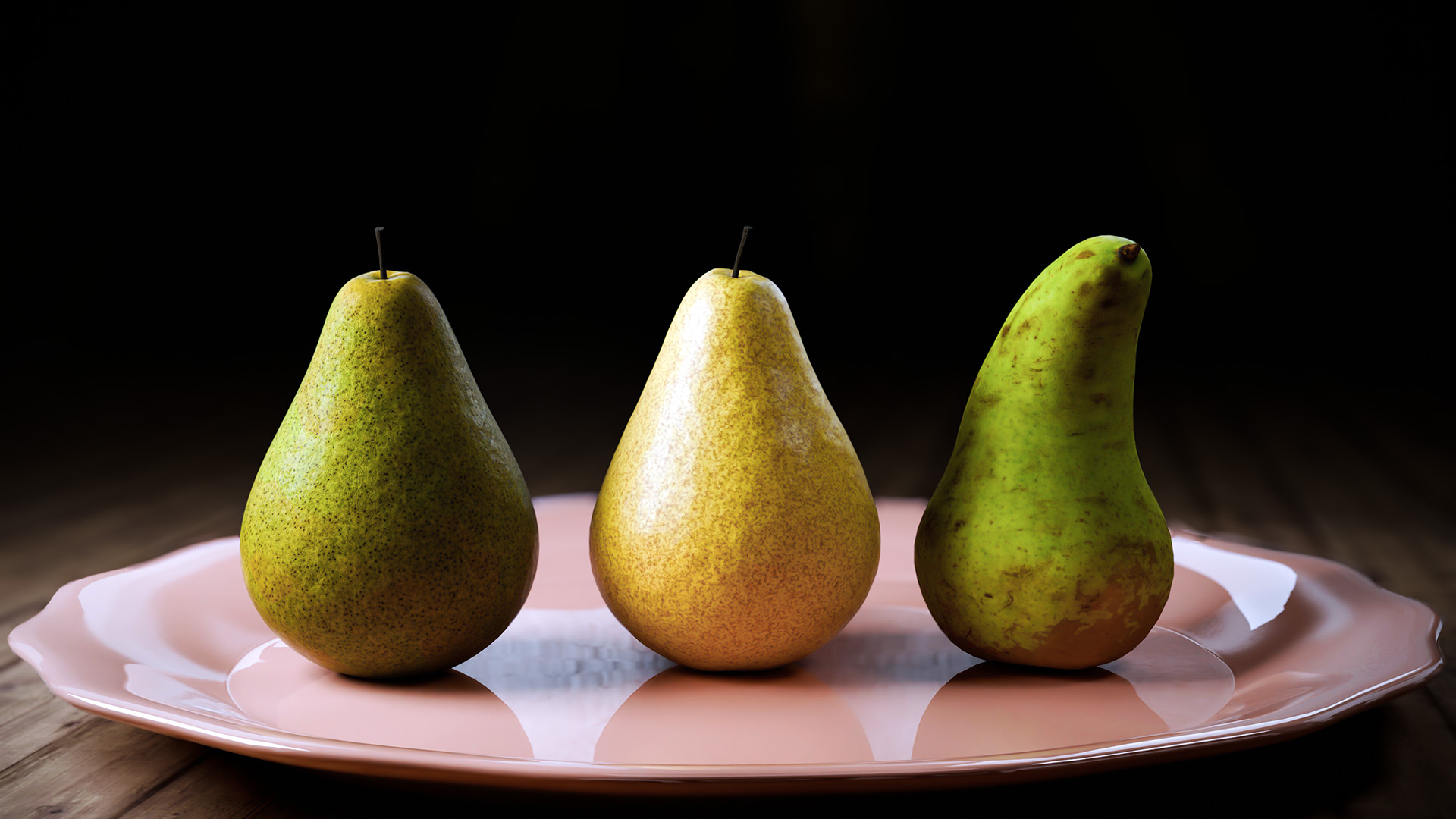
So lets have a look at an image of 3 pears I have created. The First 2 pears from the left have a Procedural material applied to them (2-variations), on the same pear model. The 3rd pear has what we call a PBR Material (This stands for ‘Physically Based Rendering), applied on a different pear model:
Which one do you prefer? another sample image below shows the first procedural material and the third PBR based material applied the same oddly shaped pear. Slide the slider to see the difference:

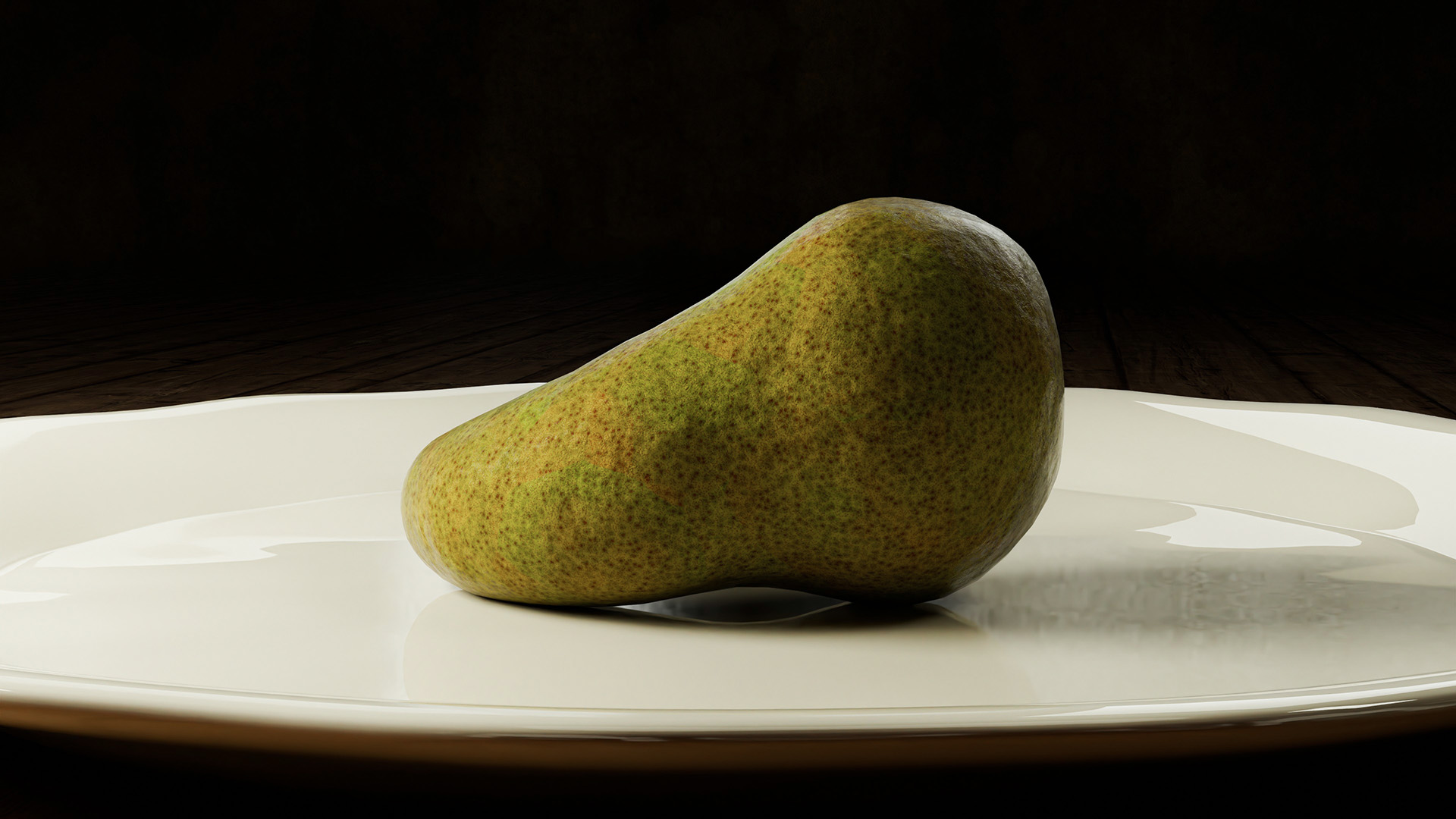
There are benefits to both of course and which you go for often depends what end result you are looking for. PBR materials tend to be more realistic, but offer less ability to edit and manipulate them. So lets have a look at the key differences below:
The Key Difference in the Creation Method:
- PBR Materials: PBR materials are typically created using texture maps that simulate real-world material properties such as albedo (base color), metallic, roughness, normal, and sometimes ambient occlusion. These maps are applied to the respective channels of the material, and the renderer interprets these maps to simulate realistic lighting and shading.
- Node-Based Procedural Materials: Procedural materials, on the other hand, are created using nodes that define mathematical operations and patterns to generate textures. Instead of relying on image-based textures, procedural materials use algorithms to create patterns and details, offering a high degree of flexibility and customization.
Pros and Cons of Realism and Control:
- PBR Materials: PBR materials aim to simulate real-world materials, providing a high level of realism in terms of how light interacts with surfaces. However, they may be limited in terms of customization and creative control.
- Node-Based Procedural Materials: Procedural materials offer more control and flexibility. Artists can tweak parameters and adjust the procedural patterns to achieve a wide range of looks. This is particularly useful for creating stylized or fantasy materials that may not adhere strictly to physical properties.
Texture Detail:
- PBR Materials: PBR materials often rely on high-resolution texture maps to capture fine details in the material surface, such as scratches, bumps, and imperfections.
- Node-Based Procedural Materials: Procedural materials generate textures algorithmically, allowing for the creation of intricate details without relying on external texture maps. This can be advantageous for optimizing file sizes and reducing the need for extensive texture painting.
Computing Resource Efficiency:
- PBR Materials: PBR materials can be resource-intensive, especially when using high-resolution texture maps for detailed surfaces. This may impact rendering times and memory usage.
- Node-Based Procedural Materials: Procedural materials are often more efficient in terms of resource usage since the textures are generated algorithmically at render time. This can result in faster render times and reduced memory requirements.
Oh Yes…there is the Learning Curve:
- PBR Materials: PBR workflows are relatively straightforward and may be easier for beginners to grasp. Artists familiar with traditional texturing workflows may find PBR materials more intuitive.
- Node-Based Procedural Materials: Working with node-based procedural materials has a steeper learning curve, as it involves understanding various nodes, their functions, and how they interact. However, the payoff is greater creative control and the ability to create complex materials.
The visually show that learning curve difference, here are some snapshot images of the 2 above materials from my scene to show their respective level of complexity. The first is the more complex ‘procedural material’, the second is the ‘PBR material’:
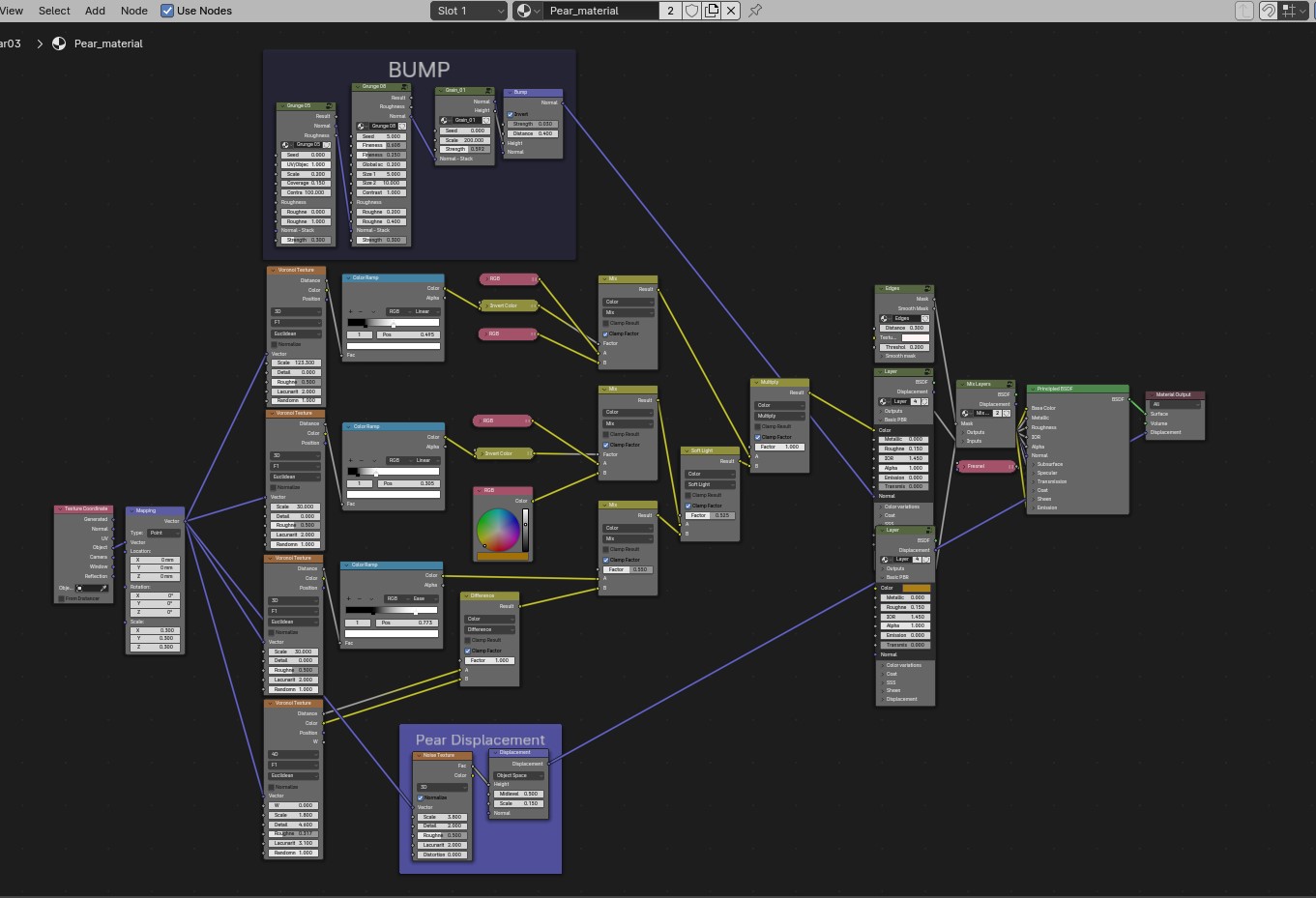
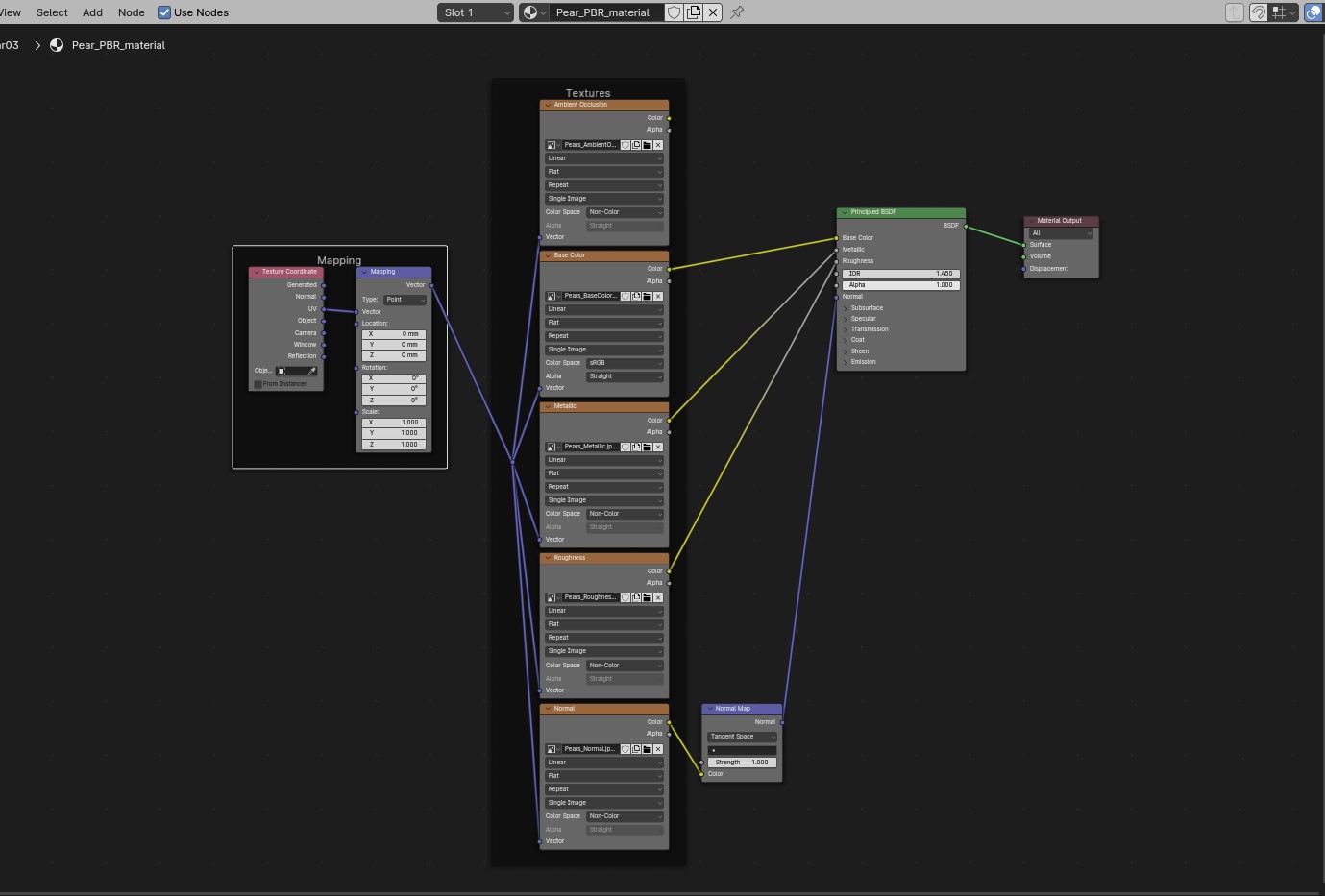
Ultimately, your choice between PBR materials and node-based procedural materials depends on the specific requirements of the project you are working on, and your preference for realism, control, and efficiency. In many cases, I use a combination of both approaches to achieve the desired result. Also to note, is that there are a few resources where you can obtain PBR materials for free if you don’t want to build them yourself, and of course who doesn’t like that👌.
Okay that is it for this post! Did I answer the question? I am not sure, but I am sure I and you learnt at least something😊.
have a great day everyone!
Kind regards, Jay

Discover more from Jayargonaut - Watch Designer
Subscribe to get the latest posts sent to your email.
 Jayargonaut - Watch Designer
Great job in your explanation! Concise and comprehensible for a layman such as myself. Bravo!
LikeLiked by 3 people
Thank you Jim! I really appreciate that praise🙏. Especially as I don’t consider myself a writer at all, so blogging doesn’t come natural to me to be truthful, I am more of an artist than writer. Bless you mate….Thanks✌️😊🙏🙏.
LikeLike
Hello friend, I enjoyed your cool post. I subscribed. See you often. Have a good day😊🌙💫🔆
LikeLike
Fascinating. I know so little about this.
LikeLiked by 1 person
Thank you Mary 😊. It is a bit of a steep learning curve, but a very rewarding platform when you start to scale it. There is so much you can do, from visual artwork, movie-FX, even animation. Kind regards…Jay 😊
LikeLike
thank you for visiting my blog to lead me to yours, Jay! Your images are crisp and beautiful to look at. Thank you for sharing!
Have a great day!
LikeLiked by 3 people
Hi Stacey. You are most welcome, and thank you so much for your very kind words…they are sincerely appreciated 🙏. Have a great day & stay blessed. Kind regards, Jay 😊
LikeLike
Halo
Halo 😊dear friend… I am new to this portal. Started following you. Please follow me. 😊🙏🏻😊
LikeLiked by 1 person
Hi😊. Thank you for following me🙏. I hope you enjoy the content I put out👍. Kind regards…Jay😊
LikeLiked by 1 person
😊 👍
LikeLiked by 1 person
Yaa 😊
LikeLiked by 1 person
I didn’t understand the technicl bits, but ‘m a bit of a drawing and painting pear addict. Absolutely love your pears-prefer the ‘procedural’ ones! Ciao, Cristina
LikeLiked by 1 person
Hi Cristina😊. Thank you for your kind words, I appreciate them! That is good to hear coming from a Pear artist. I will take a look at your site – one thing I will first say from first visit is those Panzerotti look damn good!😋. Ciao…Jay😊
LikeLiked by 1 person
They are delicious! I dont have many pears posted but i think a post called ‘mercato inspiration’ has a little encaustic pear 🍐. Ciao, Cristina
LikeLiked by 1 person
Good one Jay, enjoy your writing.
LikeLiked by 1 person
Thank you Freddie😊. I am glad you enjoyed it my friend😎✌️
LikeLiked by 1 person
My pleasure Jay
LikeLiked by 1 person
BUON INIZIO SETTIMANA
LikeLike