
I like to design watches and watch dials, amongst other things, and I have been doing this, partly for a living, for nearly 18 years now, for many customers – private and corporate. I just like the process of designing, and seeing what I can come up with, and seeing it finished. I have recently started this blog to start documenting this.
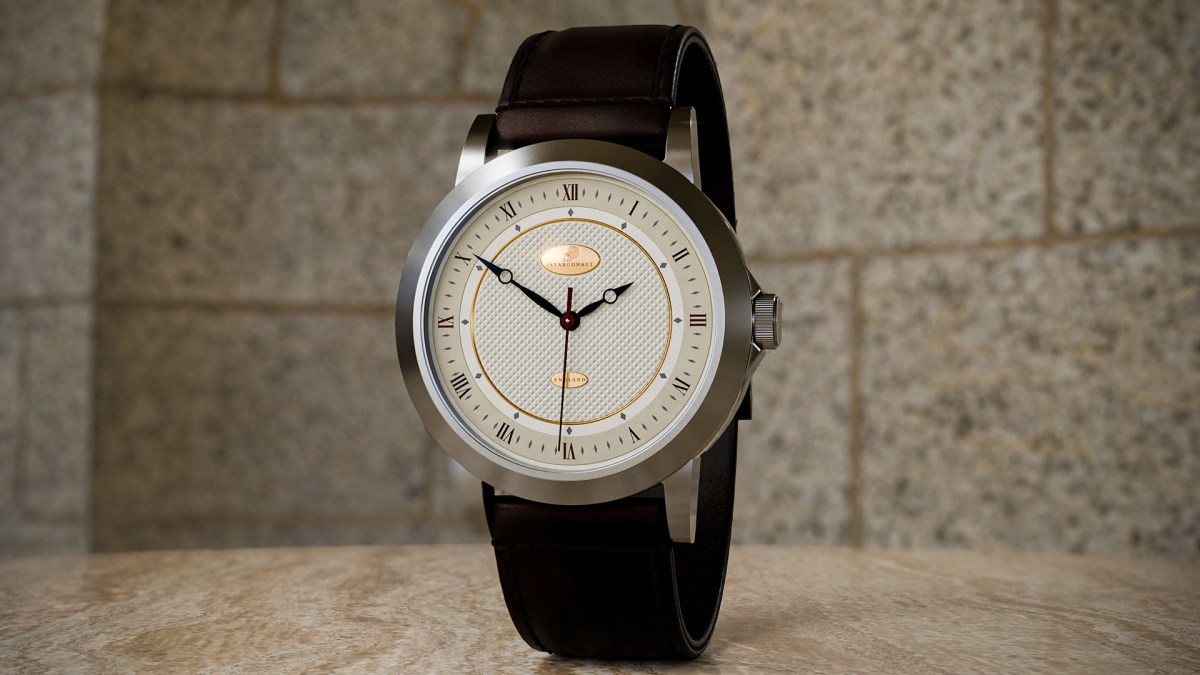
So I want to start posting and recording some of these designs, and concept designs. This is one such recent concept design – The Apollo-Diamas design:
The watch images below are all rendered images created in Blender 4.0. All aspects of the design were designed and mesh modelled, and finally rendered in Blender by myself – Jason Garth Edwards.
My Apollo-Diamas concept design watch:

The main design feature on this dial, I would say, is the diamond pattern etching, or ‘Hobnail’, as it is fondly called, in the centre of the watch. Contrasted with the quite bold diamond shaped markings (hence the Diamas in the name), and the Roman numerals, fitting of the design I think. It creates a relatively simple, yet strong and bold dial.
The word Diamas is of Latin heritage and comes from the description of stone and crystal geometry.
Making the design:
This design was all made in Blender 4.0, my choice of platform to work with. The hardest part to model, apart from the watch-case and watch-strap, was the diamond pattern in the center of the dial. To create this, I used something in Blender called instancing – essentially, this is a procedure where a single mesh model, here my diamond or pyramid shape, is ‘instanced’ onto every vertex of the chosen surface. Now, to perform this pattern, it is quite tricky as we need an alternating pattern:
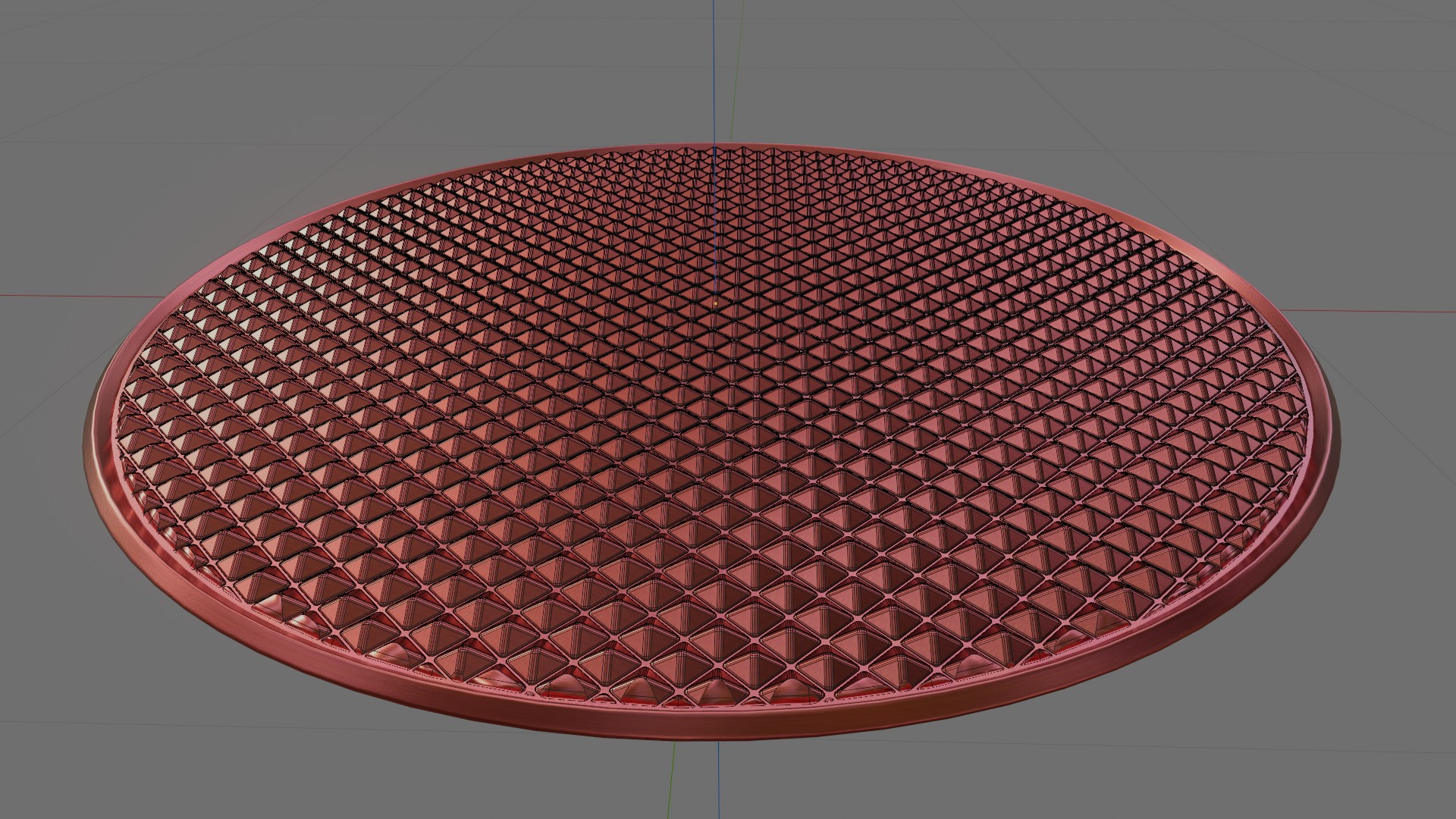
To create the above you first have to subdivide a ‘plane’ mesh object, but of course you need this to be alternating, to enable the alternating pattern. This is the tricky part, which I might make a separate post on, as it really needs its own description being a complex lengthy process.
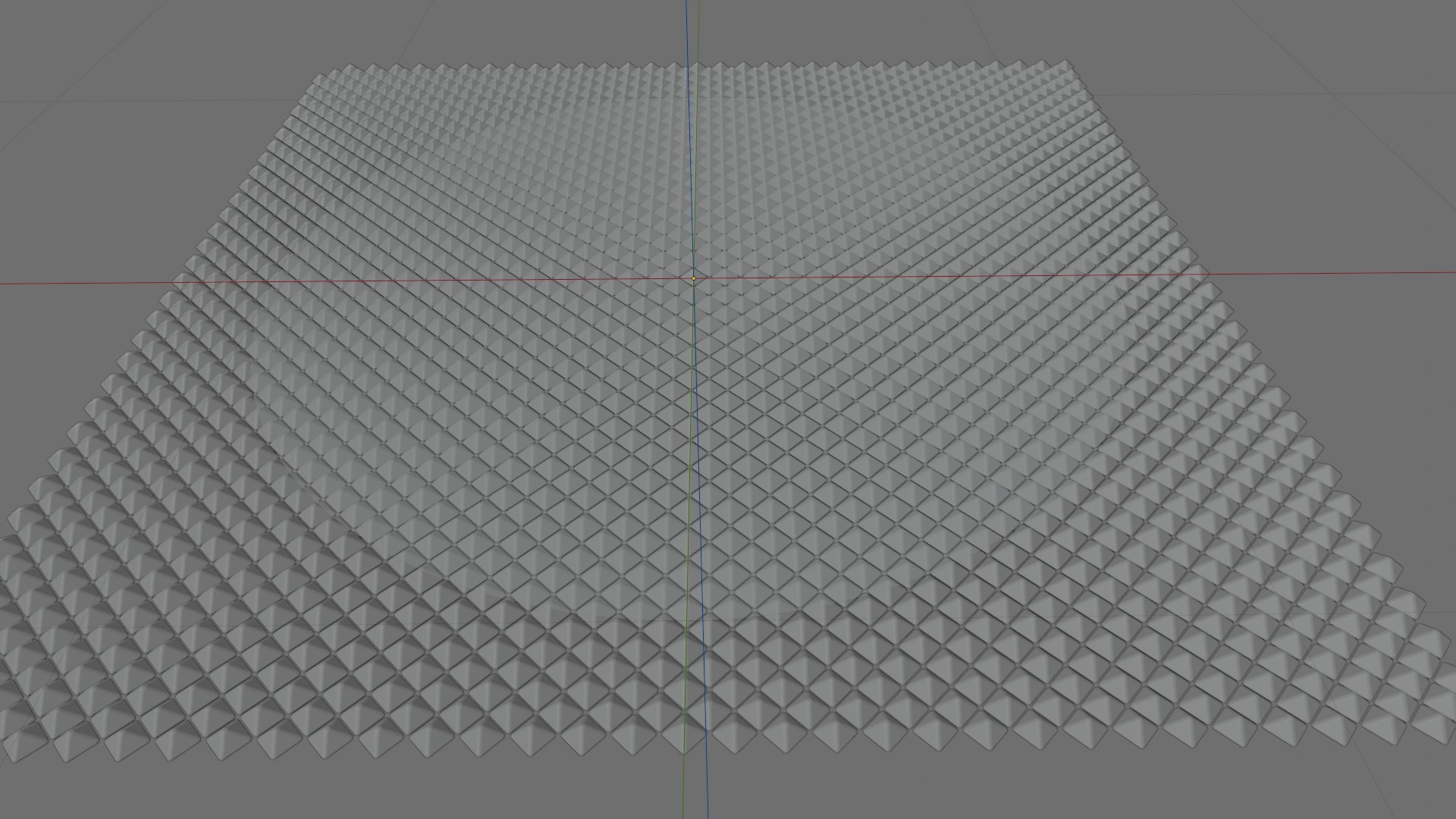
Once we have this subdivided mesh we can then ‘Instance’ our diamond shaped pyramid onto this mesh, once we have done this then you need to remember to ‘realize’ these instances with the ‘realize instance’ node in your geometry nodes. Then when all this is done you can combine these two using a Boolean:
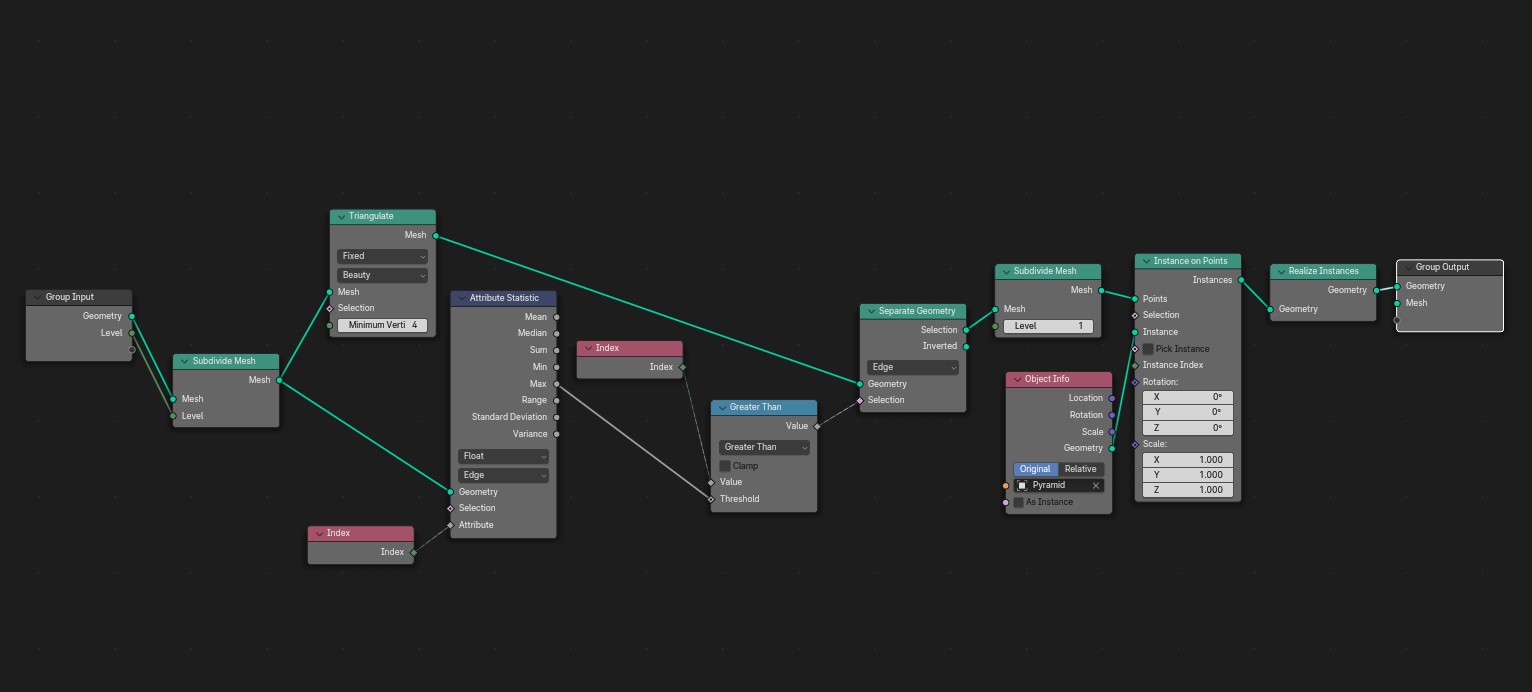
The Geometry node set-up:
I am including a desktop image of my geometry node set-up in Blender 4.0 below, if you would like to try replicating this. Or you can contact me here at jay@jayargonaut.com for more information:
The rest of the design from here on is just simply time and traditional mesh modeling techniques. Of course, creating a watch dial, a lot of that modeling includes using rotation, or the ‘spin’ edit which extrudes vertices in a circle around the cursor, a very useful tool!
The Final Watch Design:
The final design is very pleasing I think:

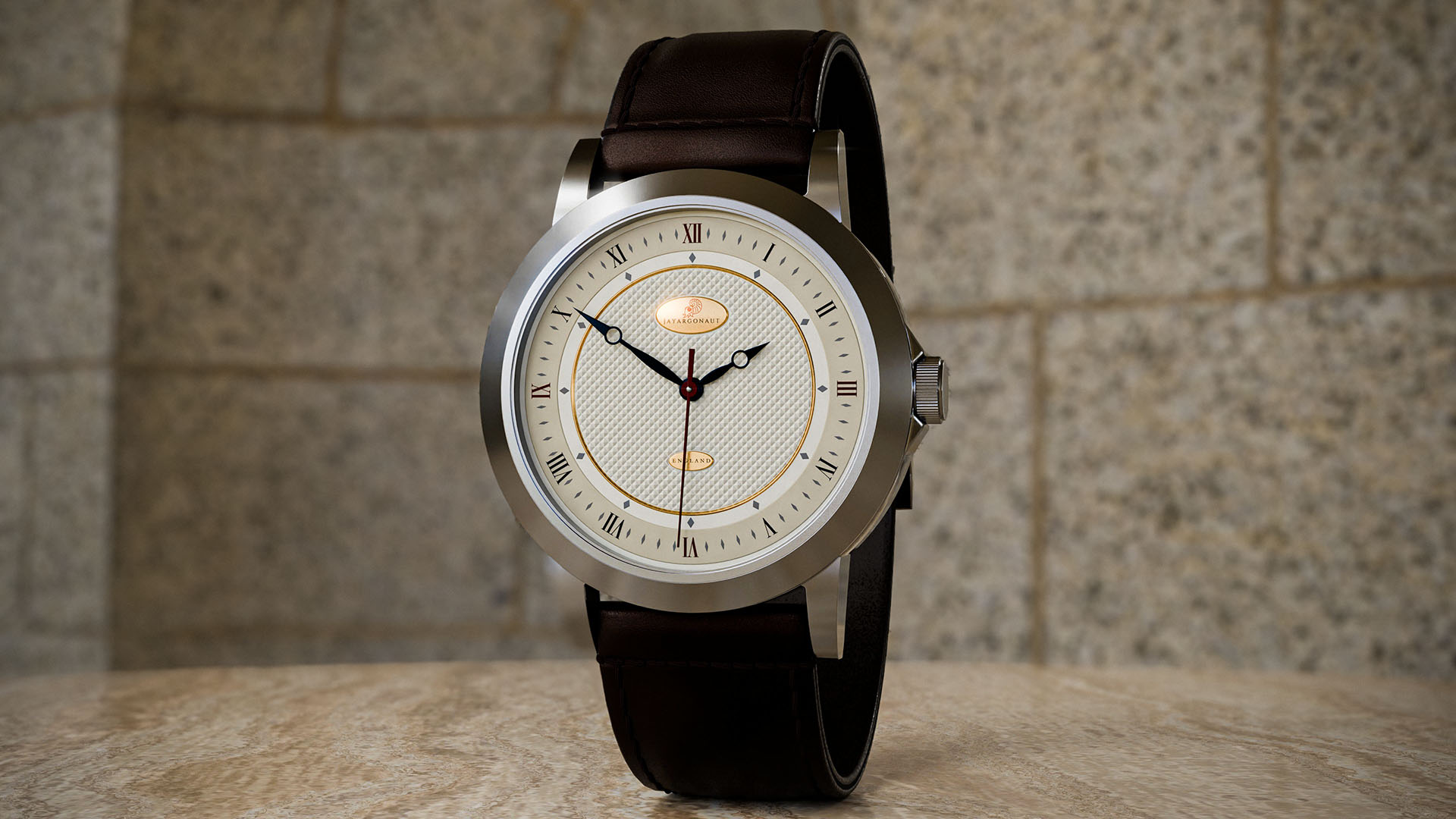
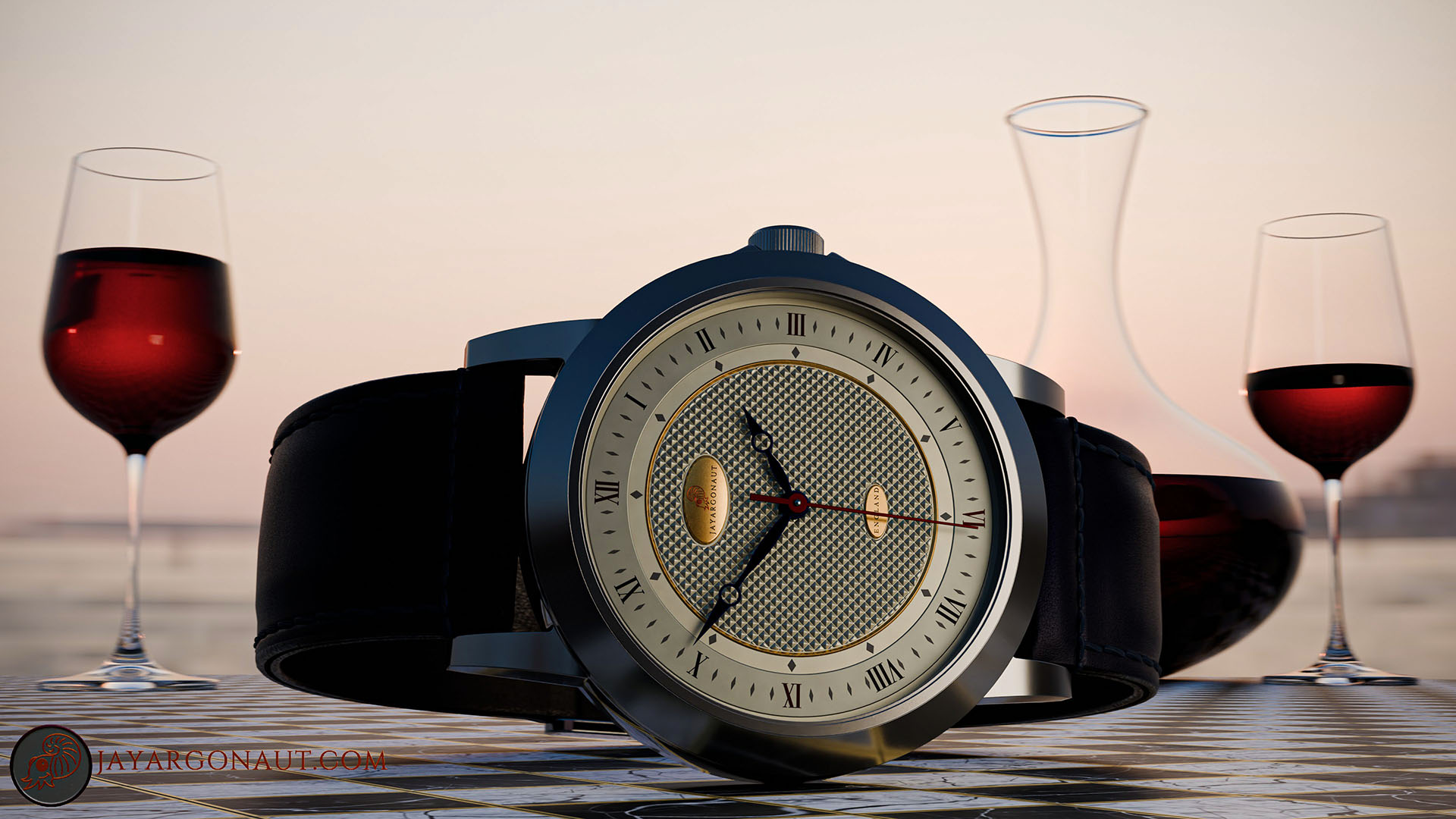

One of the benefits of designing the Hobnail etching pattern using geometry nodes and instancing in Blender 4.0, is that the shape you instance can be changed very quickly, which means this diamond pattern could just as easily be a square pattern, or a fish-scale pattern for example, the design opportunities with this method are quite vast.
That is it for this post, as mentioned above, if you would like any more information on using this method in Blender, or would something like this designed for yourself – feel free to contact me ‘Jay’ at jayargonaut@protonmail.com
I hope you enjoy the design as much as I enjoyed making it.
have a great day everyone! 😊
Kind regards, Jay

Discover more from Jayargonaut - Watch Designer
Subscribe to get the latest posts sent to your email.
 Jayargonaut - Watch Designer
You’re amazing bro
LikeLiked by 2 people
Thank you for your kind words brother 🙂. I sincerely appreciate them 🙏. Best, Jay
LikeLiked by 1 person