
There is so much to learn in the realm of 3D artwork, and it seems that I am always learning. Throughout this learning I seem to go through phases of what I want to focus on…maybe this is just natural in any process. I say learning because I believe, we are, and always should be learning.
I design things in Blender, apart from Photoshop, Blender is the only platform I tend to use. I love Blender creative-suite, we are currently on Blender 4.0, and it is always growing, developing, and getting better. Blender 4.0 saw quite a few incremental updates, such as ‘light linking’ – the ability to select, or deselect, objects that will be lit by your chosen light set up. Also the new ‘AGX colour management system’, that adds a whole new level of realistic rendering finish, due to its much better ability to handle colour separation at high extremes, rather than collapsing into one blown out white light.
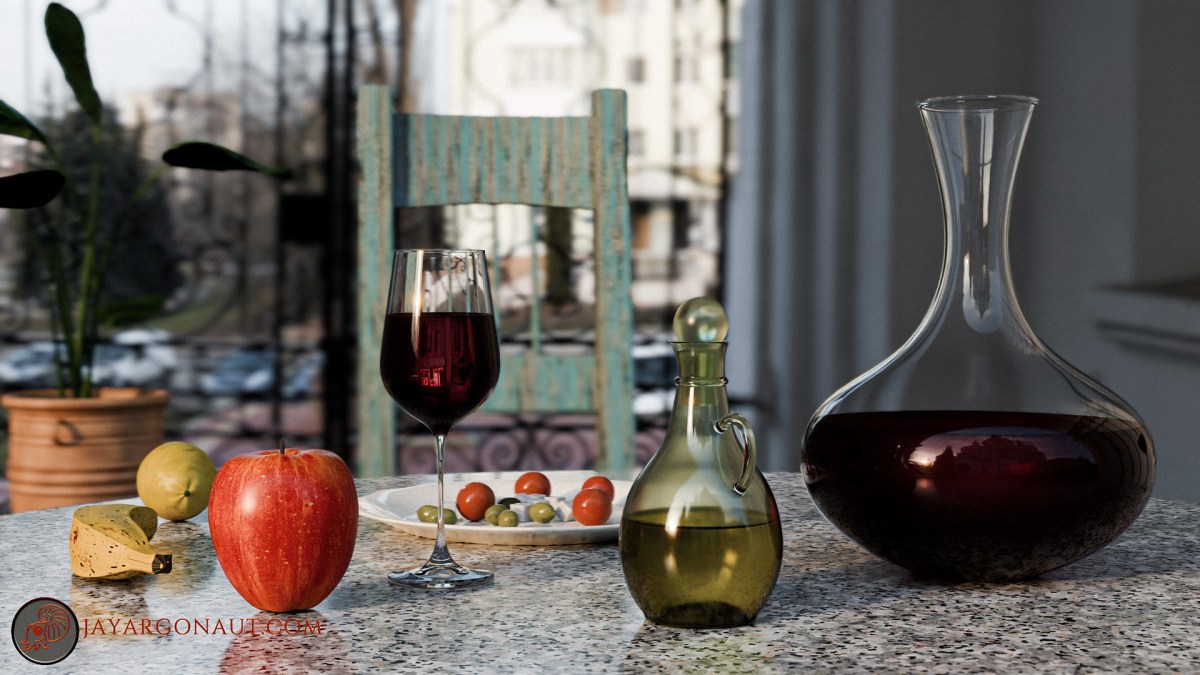
Anyway, this blog is not about Blender, as such, but rather what I have been focusing on this week, which is a still-life scene. At the moment (Ref: my comment above), I seem to be focusing on still life scenes. So this week I have been building a slightly sunny and warm table scene, with that warm Mediterranean style feel.
The First rendered Scene:

A simple scene in its block-out, but with a few tricky things to get right. It was important to have that depth-of-field in these scenes, this was achieved by setting depth-of-field on the camera in Blender itself. The focus point of this image above was the ‘plate of olives & tomatoes’. You can easily select your point of focus using the drop-down in the depth-of-field camera settings in Blender. And the camera settings were set to 0.5 on the camera ratio, and an f-stop setting of 0.2.
Even after this, I felt is still needed a bit more depth-of-focus, so I did this in Photoshop using the ‘Lens-blur’ facility in ‘Camera Raw Filter’, which I think is a fantastic little tool in Photoshop! This also gave me an opportunity to play around with some finishing touches of colour, even after compositing in Blender.
Making organic models can sometimes be tricky to get right, it can pay you dividends to build-in imperfection, as this makes the models look more like ‘real-life’, as natural things are never perfectly symmetrical. The Olive Oil bottle did take me longer than expected as I tried a lightly different method for making it, this meant there was a few more errors to iron out around the bottle handle….but again all a learning process 🙂
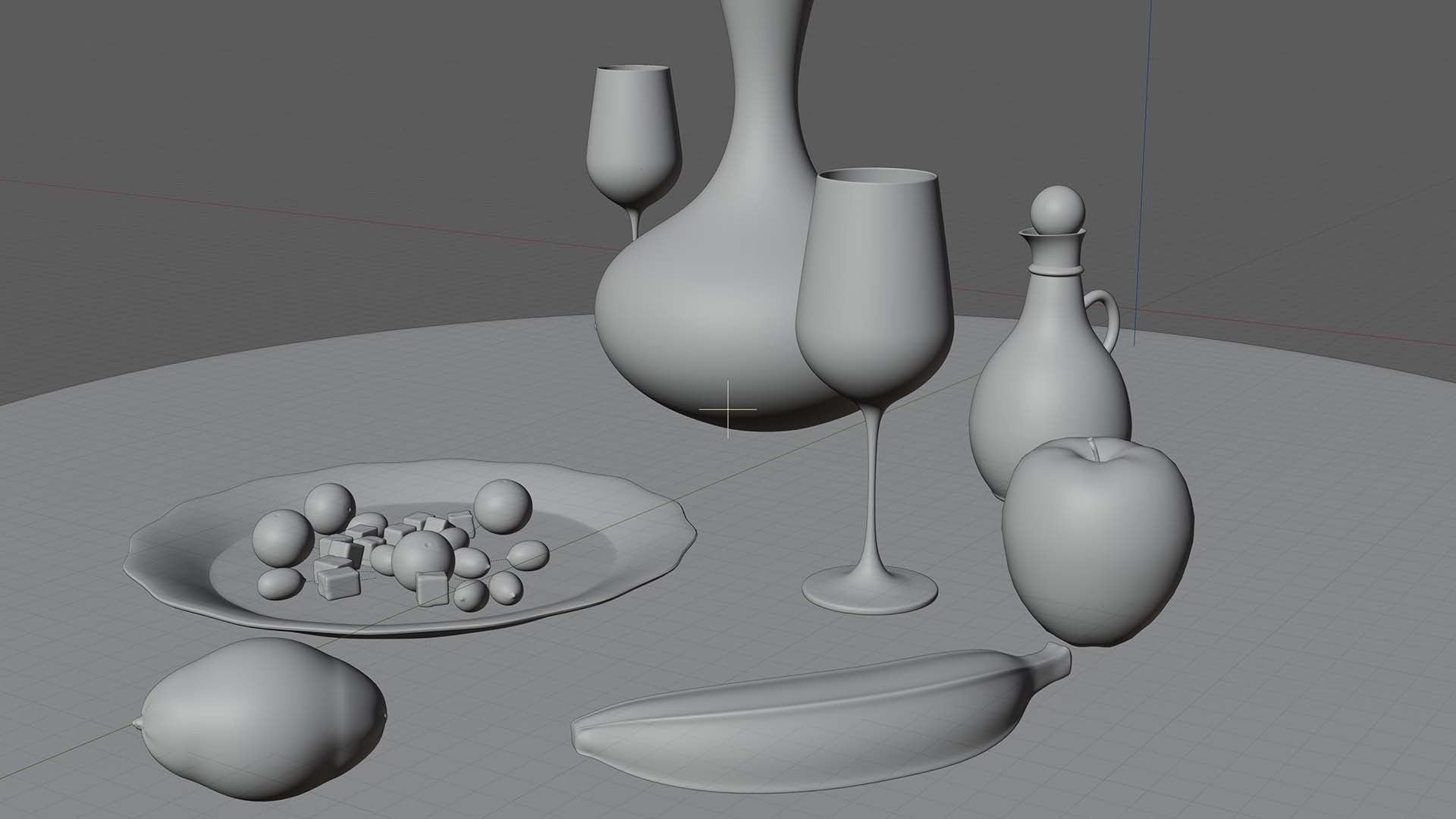
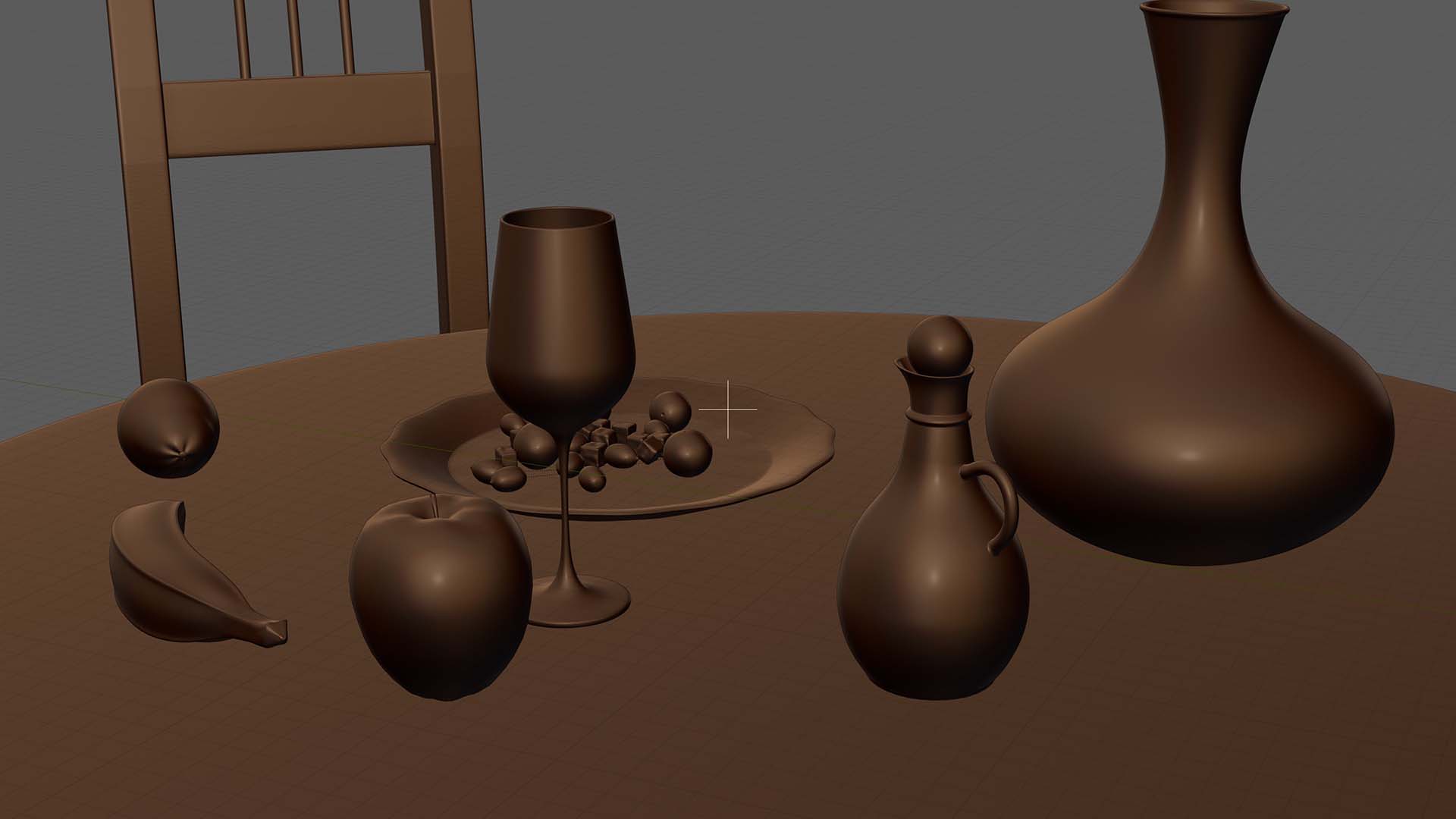
A couple of block out scenes showing the main models:

Lighting the outdoor Scene:
I wanted the lighting to be as natural as possible, so all the lighting comes from an outside HDRI image, for those that don’t know what that is, ‘HDRI’ stand for ‘High Dynamic Range Image’. It is a 360 degree image which gives a more realistic and fuller lighting, so it was perfect for this scene.
Of course once you have built a scene you can play about and take renders from many perspectives, arrangements, and depth-of-focus set-ups. For this write-up, so far, I have produced two scenes that I like. There are a few things I might want to change and add, but so far these are looking quite nice I think:

My Thoughts and Summary:
I think looking at them again this lower scene is my favourite, what do you think? I think it has a bit more depth and richness in colour, basically it ‘pops’ a little more, but I think they are both nice scenes in their own right.
Anyway, I hope you like them as much as I enjoyed building them, I just love to create things like this. It is very satisfying when you spend time on something and it starts to come right and look nice.
If you have any questions on any of the above, or any comments, please feel free to write a comment or question, or get in touch with me at jayargonaut@protonmail.com
Have a great day and bye for now 🙂
kind regards
Jay

Discover more from Jayargonaut - Watch Designer
Subscribe to get the latest posts sent to your email.
 Jayargonaut - Watch Designer
I think it is a great art! 👌
LikeLiked by 1 person
Thank you for your kind comments Priti 🙂 I sincerely appreciate them 🙏. Kind regards, Jay
LikeLike
☺️🙏
LikeLiked by 1 person
You quite an artist
Magnificent
LikeLiked by 1 person
Thank you Oluwatobiloba 🙂 I appreciate your kind comments very much! 🙏. Kind regards, Jay
LikeLike
You’re welcome do you mind we follow each other
LikeLike
No problem. Best, Jay
LikeLike
You are very creative. I thought the objects were real.
LikeLiked by 1 person
Thank you leturos, I really appreciate your thoughts and positive input 🙏. You have made my morning 😊. That is my main drive and inspiration, to draw things and try and make the viewer think they are real!…I am still learning and humble, but that is my goal. Yesterday I was working all-day and evening on creating the geometry for creating a real ‘virtual Black-hole’, a very tricky and math based creation….that I hope to post about today! I hope you will like it. Thank you again leturos for your thoughts, I appreciate it 🙂. Best, Jay
LikeLiked by 1 person